Team Profile: Squadron78 - Argentina's DCL Entry
An in-depth look at Squadron78, the Drone Champions League team from Argentina, including their manager, DCL entry year, and pilot roster.
Zero to Race Ready: Your Comprehensive Roadmap to FPV Racing
Ever watched those incredibly fast, agile drones zipping through gates and wondered how pilots navigate them with such precision? Welcome to the exhilarating world of FPV (First Person View) racing! It's a high-octane sport that combines lightning-fast reflexes, technical skill, and a deep understanding of physics. If you're an absolute beginner with a burning desire to dive into this thrilling hobby, you've come to the right place. This 'Zero to Race Ready' roadmap is your comprehensive, step-by-step guide to transforming from a curious newcomer into a confident FPV racer, ready to carve your first race line. Let's strap on those goggles and begin your journey!
The Gateway to Goggles: Understanding FPV Racing
What is FPV Racing and Why Is It So Addictive?
FPV racing is a competitive sport where pilots fly custom-built quadcopters through a designated course, often marked with gates, flags, and obstacles, all while viewing the action through video goggles that display a real-time feed from a camera on the drone. It’s like being in the cockpit of a miniature jet, offering an unparalleled sense of speed, immersion, and control that traditional line-of-sight flying simply cannot match.
The origins of FPV racing can be traced back to hobbyists experimenting with small drones and video transmitters. What started as backyard races quickly grew into organized events with professional leagues worldwide. The addiction comes from several factors: the intense adrenaline rush as you narrowly clear a gate at high speed, the constant challenge of improving your lines and shaving milliseconds off your time, and the deep satisfaction of mastering complex maneuvers. Beyond the thrill, the FPV community is incredibly supportive, fostering a sense of camaraderie and shared passion.
Is FPV Racing for Me? A Beginner's Mindset
If you're reading this, chances are FPV racing is for you! However, it's important to approach this hobby with the right mindset. FPV racing has a steeper learning curve than many other drone activities. You will crash. Your drone will break. You will get frustrated. But with patience, persistence, and a willingness to learn from your mistakes, the rewards are immense.
Embrace the joy of learning, the process of building and repairing, and the continuous improvement of your skills. Don't compare your first flights to seasoned pros you see online. Focus on small victories, like holding a stable hover, making a clean turn, or successfully completing a simulator drill. The journey from "how to fly fpv racing" to "master FPV racer" is a marathon, not a sprint.
The 'Zero to Race Ready' Roadmap: What This Guide Covers
This comprehensive tutorial is designed to be your ultimate "fpv drone setup guide" and "how to fly fpv racing" manual. We'll take you through every critical stage, ensuring you have the knowledge and practical tips to succeed:
- Building Your Arsenal: Choosing essential "fpv racing equipment list" components.
- Mastering the Matrix: The crucial role of "fpv simulator training."
- Bringing Your Drone to Life: "fpv controller setup" and "betaflight setup for racing."
- From Virtual to Reality: Your first real-world flights.
- Beyond the Start Line: Improving skills and engaging with the community.
By the end of this guide, you'll be well on your way to becoming a confident "beginner fpv racing drone" pilot, ready to tackle your first race line.
Building Your Arsenal: Essential FPV Racing Equipment (Buyer's Guide)
Getting started requires a few key pieces of equipment. Making the right choices here can significantly impact your learning experience.
Choosing Your First FPV Drone: RTF, BNF, or DIY?
For absolute beginners, your first "beginner fpv racing drone" decision is crucial:
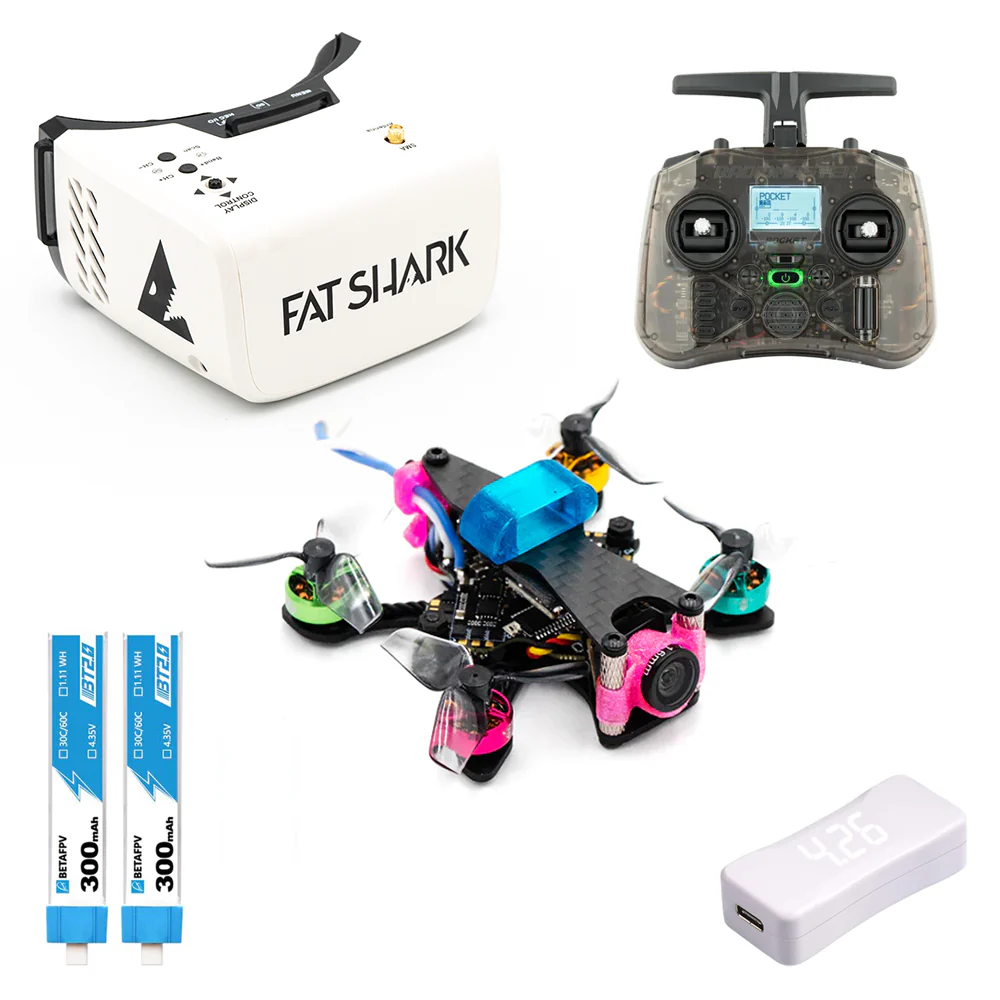
- Ready-To-Fly (RTF) Bundles: These kits include everything you need to start flying – drone, goggles, and radio transmitter. They are the easiest way to get into the hobby as they come pre-bound and often pre-configured.
- Pros: Convenience, immediate gratification, often lower initial cost.
- Cons: Components might be lower quality, limited upgradeability.
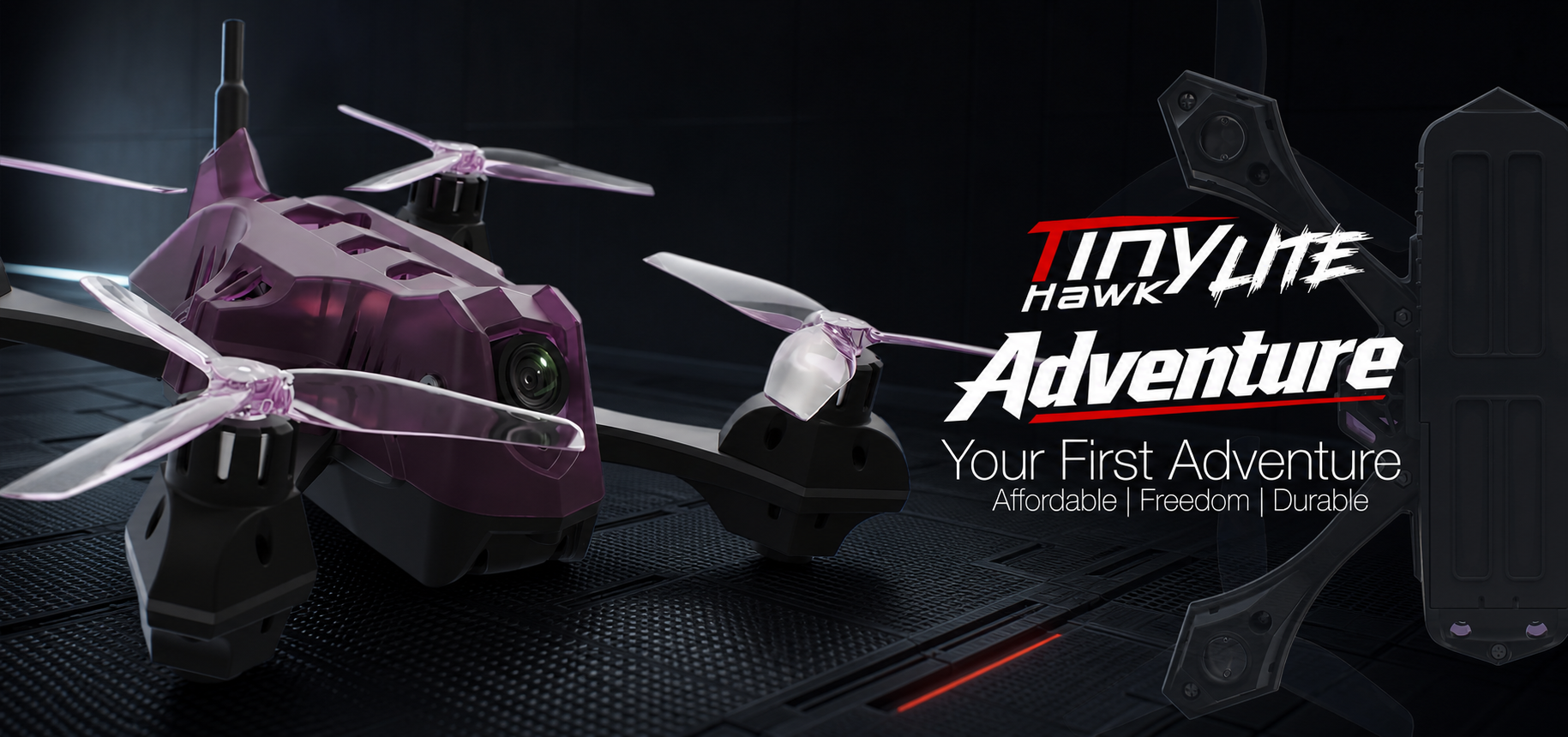
- Recommendation: Excellent for true beginners. Look for kits like the BetaFPV Cetus X or Tinyhawk III which offer durable, small drones perfect for indoor/outdoor learning.
- Bind-N-Fly (BNF) Models: These drones come fully assembled but require you to supply your own radio transmitter and sometimes goggles. They are "bind-and-fly," meaning you just need to bind them to your compatible radio.
- Pros: Higher quality components than most RTF kits, more choice in radio/goggles.
- Cons: Requires separate purchase of radio/goggles, some basic setup might be needed.
- Recommendation: A good step up if you've already invested in a decent radio from simulator practice.
- Do-It-Yourself (DIY) Build: This involves sourcing all individual components (frame, motors, flight controller, ESC, VTX, camera, receiver) and assembling them yourself.
- Pros: Complete control over components, deeper understanding of how the drone works, easier repairs.
- Cons: Requires significant technical skill, soldering, troubleshooting, and more time.
- Recommendation: Not for absolute beginners. Consider this after you've gained experience and crashed a few RTF/BNF drones. If you want to "build fpv racing drone," start with a pre-built BNF first.
The Command Center: Selecting Your Radio Transmitter
Your radio transmitter is your direct link to the drone. A good one is a long-term investment.
- Features to Look For:
- Gimbal Quality: Hall effect gimbals offer precision and durability.
- Open-Source Firmware: Radios running EdgeTX or OpenTX offer immense customization.
- Module Bay: Allows you to swap out radio protocols (e.g., ELRS, Crossfire, FrSky) for versatility.
- Battery Life: Rechargeable internal batteries are a plus.
- Popular Beginner-Friendly Models:
- Gamepad Style: Radiomaster Zorro and Radiomaster Pocket are compact, ergonomic, and excellent value. They feel familiar to gamers.
- Tray Style: Radiomaster Boxer or Jumper T-Pro V2 offer a more traditional, larger form factor with full-size gimbals, preferred by many experienced pilots for precision.
- Recommendation: Start with a multi-protocol or ELRS-native radio like the Radiomaster Zorro. ELRS (ExpressLRS) is a highly recommended modern radio link due to its excellent range, low latency, and affordability. This is a critical part of your "fpv controller setup."
Your Window to the World: FPV Goggles Explained
FPV goggles are your immersive display. They come in two main types:
- Box Goggles: Larger, bulkier, but often more affordable. They typically have a single large screen viewed through a lens.
- Pros: Cost-effective, sometimes offer a wider field of view (FOV) for the price.
- Cons: Less portable, can feel less immersive due to the large gap between eyes and screen.
- Recommendation: Good for budget-conscious beginners. Examples include Eachine EV800D.
- Compact Goggles: Smaller, sleeker, with two separate screens (one for each eye).
- Pros: More immersive, portable, generally higher resolution.
- Cons: Significantly more expensive.
- Recommendation: If your budget allows, these offer a superior experience. Brands like Skyzone and Fat Shark are popular for analog. For digital, DJI Goggles 2/Integra or Walksnail Avatar HD Goggles X are the current leaders, offering crystal-clear video.
Analog vs. Digital: Analog FPV is older, cheaper, and has more latency but is more resilient to signal loss (graceful degradation). Digital FPV (like DJI O3 Air Unit or Walksnail Avatar HD) offers stunning HD video quality with very low latency but can drop out more abruptly. For racing, low latency is key. Many beginners start with analog due to cost, but digital is rapidly becoming the standard.
Powering Your Passion: Batteries, Chargers, and Accessories
Don't overlook these essentials for a smooth FPV journey:
- LiPo Batteries: These are the power source for your drone.
- Types: For racing, you'll typically use 4S (4-cell) or 6S (6-cell) LiPo batteries. Smaller drones might use 1S or 2S.
- C-rating: Indicates discharge rate. Higher C-ratings (e.g., 100C) are better for racing, providing more punch.
- Capacity: Measured in mAh (e.g., 1300mAh). Higher mAh means longer flight time but more weight.
- Safety: LiPos are volatile. Always handle with care, store in fireproof bags (LiPo bags), and never overcharge or over-discharge.
- Smart Chargers: A good balance charger is crucial for LiPo safety and longevity. Look for chargers like the ISDT Q6 Nano or ToolkitRC M4AC, which can balance charge multiple cells and provide various charging modes.
- Spare Propellers: You will break props. Buy many.
- Basic Tools: Small hex drivers (1.5mm, 2.0mm, 2.5mm), a small Phillips head screwdriver, and zip ties are essential.
- Other Must-Haves: LiPo voltage checker, buzzer (for finding lost drones), double-sided tape, electrical tape.
Mastering the Matrix: Simulator Training for FPV
Why the Simulator is Your Best Friend
The single most important piece of advice for any beginner entering FPV racing is this: spend significant time in a simulator before flying a real drone. This is the cornerstone of "fpv simulator training."
- Develop Muscle Memory: FPV flying is unintuitive at first. Simulators allow you to practice stick movements without consequence, building the essential muscle memory needed for controlled flight.
- Understand Physics: Experience how throttle, roll, pitch, and yaw interact with gravity and momentum.
- Practice Without Risk: Every crash in a simulator costs nothing. A crash with a real drone can mean broken parts, repair time, and money.
- Cost-Effectiveness: A one-time purchase of a simulator is far cheaper than repeatedly replacing drone parts.
Top FPV Simulators for Beginners
Connect your FPV radio transmitter to your computer via USB, and you're ready to go.
- Velocidrone: Highly realistic physics, excellent for actual race practice, and widely used by pro racers. Great for "fpv racing tips and tricks."
- DRL Simulator (Drone Racing League): Good graphics, various game modes, and a focus on competitive racing. Often goes on sale.
- Liftoff: Excellent graphics, good physics, and a wide variety of drones and environments. Very immersive.
- Uncrashed: Known for its stunning graphics and realistic crash physics, making it very satisfying to fly and crash.
Essential Drills: From Hovering to Race Lines
Structure your simulator practice:
- Basic Hovering & Orientation: Start in a large open space. Practice holding a stable hover, then gently moving forward, backward, left, and right, always keeping the drone facing away from you (nose out).
- Figure-Eights: Once you can hover, practice smooth figure-eights to get comfortable with coordinated turns using roll and yaw.
- Gate Practice: Set up simple gates (or use pre-made tracks) and practice flying through them slowly, then gradually increasing speed. Focus on clean lines, not just speed.
- Race Tracks: Once comfortable with gates, try full race tracks. Don't worry about speed initially; focus on completing the track cleanly. Gradually push your limits.
- Emergency Recovery: Practice recovering from dives, flips, and rolls.
Setting Up Your Controller for Simulator Success
- Connect Your Radio: Most modern FPV radios connect to your computer via a USB-C cable and appear as a joystick/gamepad.
- Calibrate: Open your chosen simulator and navigate to the controller settings. Calibrate your sticks (throttle, roll, pitch, yaw) and ensure they respond correctly.
- Stick Assignments: Ensure your throttle (left stick up/down, Mode 2) and control sticks (roll/pitch on right stick, yaw on left stick) are correctly mapped. This is part of your "fpv controller setup."
- Rates: Start with low rates in the simulator. Rates determine how sensitive your sticks are. As you improve, you can gradually increase them to make the drone more responsive.
Bringing Your Drone to Life: Setup and Configuration
Once you've gained confidence in the simulator, it's time to prepare your real drone.
First Steps: Binding Your Radio to Your Drone
Binding is the process of linking your radio transmitter to your drone's receiver so they can communicate. The exact steps vary depending on your radio protocol:
- ELRS (ExpressLRS): Typically involves putting both the radio and the drone's receiver into "bind mode" (often by powering on/off three times quickly) or using a bind phrase in your radio's Lua script. ELRS is known for its robust link and ease of binding once configured.
- FrSky: Often involves holding a bind button on the receiver while powering it on, then selecting "Bind" on your FrSky radio.
- Crossfire/Tracer: Usually involves navigating to the Crossfire/Tracer menu on your radio and initiating a bind with the receiver powered on.
Always refer to your specific receiver and radio manual for precise binding instructions.
Diving into Betaflight: Initial Setup for Racing
Betaflight is the most popular flight controller software for FPV drones. It allows you to configure nearly every aspect of your drone's flight characteristics. This is a critical step for "betaflight setup for racing."
- Install Betaflight Configurator: Download and install the Betaflight Configurator software on your computer.
- Connect Your Drone: Connect your drone to your computer via a USB-C cable (usually on the flight controller).
- Flash Firmware (if necessary): If your drone's firmware is outdated, you might need to flash the latest version. Always back up your settings first!
- Basic Configuration Tabs:
- Ports: Configure UARTs for your receiver, VTX, GPS (if any).
- Configuration: Set motor protocol (e.g., DShot600), accelerometer alignment, ESC beacon, and select your receiver protocol (e.g., SERIALRX_CRSF for ELRS/Crossfire).
- Receiver: Verify your stick inputs are registering correctly and set your channel map (e.g., AETR1234 for Radiomaster).
- Modes: Set up your arming switch (crucial!), flight modes (Angle, Acro), and a Beeper switch for finding lost drones.
- Motors: Remove propellers before testing! Use the motor tab to ensure motors spin in the correct direction.
- Save & Reboot: Always click "Save and Reboot" after making changes.
Pro Tip: Look up a specific "betaflight setup guide" for your drone model on YouTube; visual guides are incredibly helpful.
Understanding Flight Modes: Angle vs. Acro
- Angle Mode (Self-Leveling): In Angle mode, when you release the sticks, the drone will automatically level itself horizontally. There's a maximum tilt angle.
- Pros: Very stable, easier for beginners to learn basic hovering and orientation.
- Cons: Limits maneuverability, not suitable for fast, precise racing.
- Recommendation: Start here for your very first real flights to get a feel for the drone.
- Acro Mode (Rate Mode): In Acro mode, the drone holds its last commanded angle. If you tilt it forward, it will continue to fly forward until you command it to level or tilt differently. There's no automatic leveling.
- Pros: Full control, allows for aggressive maneuvers, flips, rolls, and precise racing lines.
- Cons: Much harder to learn, requires constant stick input.
- Recommendation: This is the mode for FPV racing. Transition to Acro as soon as you are comfortable in the simulator.
Crucial Pre-Flight Checks for Safety
Safety is paramount. Perform these checks before every flight:
- Propeller Direction: Double-check that all propellers are installed in the correct direction (props out or props in, depending on your build). Incorrect props will prevent flight.
- Battery Voltage: Ensure your LiPo battery is fully charged and at a healthy voltage (e.g., 4.2V per cell).
- Antenna Connections: Verify VTX and receiver antennas are securely attached. Loose antennas can lead to video loss or damage.
- Arming Switch: Test your arming switch without propellers to ensure it arms and disarms correctly.
- Clear Flight Area: Always fly in a safe, open area, away from people, animals, and property.
- Goggle Feed: Power on your goggles and ensure you have a clear video feed from the drone.
From Virtual to Reality: Your First Real Flights
You've mastered the simulator and configured your drone. Now for the real deal!
Your Maiden Voyage: Gentle Hovers and Controlled Flight
Find a large, open, grassy area (crashes are softer on grass!).
- Start in Angle Mode: For your absolute first flight, use Angle mode.
- Gentle Lift-Off: Slowly increase throttle until the drone gently lifts off. Aim for a stable hover at eye level.
- Small Movements: Practice small, controlled movements forward, backward, left, and right. Focus on smooth stick inputs.
- Practice Landing: Gently reduce throttle and land softly. Repeat until you feel comfortable.
Remember, keep your initial flights short, focusing on control rather than speed.
Embracing Acro: The Key to FPV Racing
Once you're confident in Angle mode, it's time to switch to Acro. This will feel completely different!
- Back to the Simulator: If you haven't already, spend more time in the simulator practicing Acro.
- Small Steps: In real life, start with small, gentle stick movements in Acro mode. Don't try to flip or roll immediately.
- Hover and Translate: Practice hovering, then slowly flying forward, backward, and sideways, always correcting for drift.
- Gradual Increase: As you get comfortable, gradually increase your stick throws and try slightly more aggressive turns. This is where "fpv racing tips and tricks" really come into play.
Practicing Basic Race Lines and Obstacle Avoidance
Once you're comfortable with basic Acro flight, you can start practicing race-specific maneuvers:
- Cones/Markers: Set up simple cones or markers in an open field and practice flying around them, making smooth turns.
- Hoops: Use PVC hoops or even hula hoops to practice flying through gates. Start with large, easy targets and gradually make them smaller or place them in more challenging configurations.
- Imaginary Lines: Practice flying straight lines, then making 90-degree turns, or following an imaginary figure-eight course.
- Gap Practice: Find natural gaps like tree branches (be careful!) or large openings to practice precision flying.
Finding Your Flight Spot: Safety and Regulations
Always prioritize safety and adhere to local regulations:
- Open Areas: Look for large, open fields away from buildings, roads, and power lines.
- No People: Never fly over or near people. Maintain a safe distance.
- Airspace Restrictions: Check local drone regulations (e.g., FAA in the US, EASA in Europe, SHGM in Turkey). Use apps like B4UFLY to identify restricted airspace (airports, military bases, national parks).
- Visual Line of Sight (VLOS): Even when flying FPV, many regulations require you to maintain visual line of sight with your drone or have a spotter who does.
- Drone Registration/License: Depending on your country and drone weight, you may need to register your drone or obtain a basic license.
Beyond the Start Line: Improving and Engaging
Essential Maintenance and Troubleshooting Tips
- Routine Checks: Regularly inspect your drone for loose screws, cracked arms, bent props, or damaged wiring.
- Cleaning: Keep your drone clean, especially the camera lens. Use compressed air to clear dust from electronics.
- Propeller Replacement: Replace bent or chipped propellers immediately; they cause vibrations and reduce efficiency.
- Common Issues:
- Lost Video: Check VTX antenna, VTX power, and camera connection.
- Lost Connection: Check receiver antenna, receiver power, and binding.
- Motor Not Spinning: Check motor wires, ESC connection, and Betaflight motor tab.
- Wobbly Flight: Could be bent props, loose frame, or PID tuning issues (advanced).
Joining the FPV Community: Local Clubs and Online Forums
The FPV community is incredibly welcoming:
- Local Clubs: Search for FPV clubs or groups in your area. They often organize meetups, practice sessions, and even beginner races. Learning from experienced pilots in person is invaluable.
- Online Forums & Social Media: Join Facebook groups, Discord servers, and forums dedicated to FPV. Websites like RotorRiot, OscarLiang.com, and FPV.com are great resources. You'll find answers to almost any question and connect with like-minded individuals.
Advanced Techniques and Next Steps for Progression
As your skills grow, you can explore:
- Advanced Maneuvers: Learn power loops, rolls, dives, and other freestyle tricks.
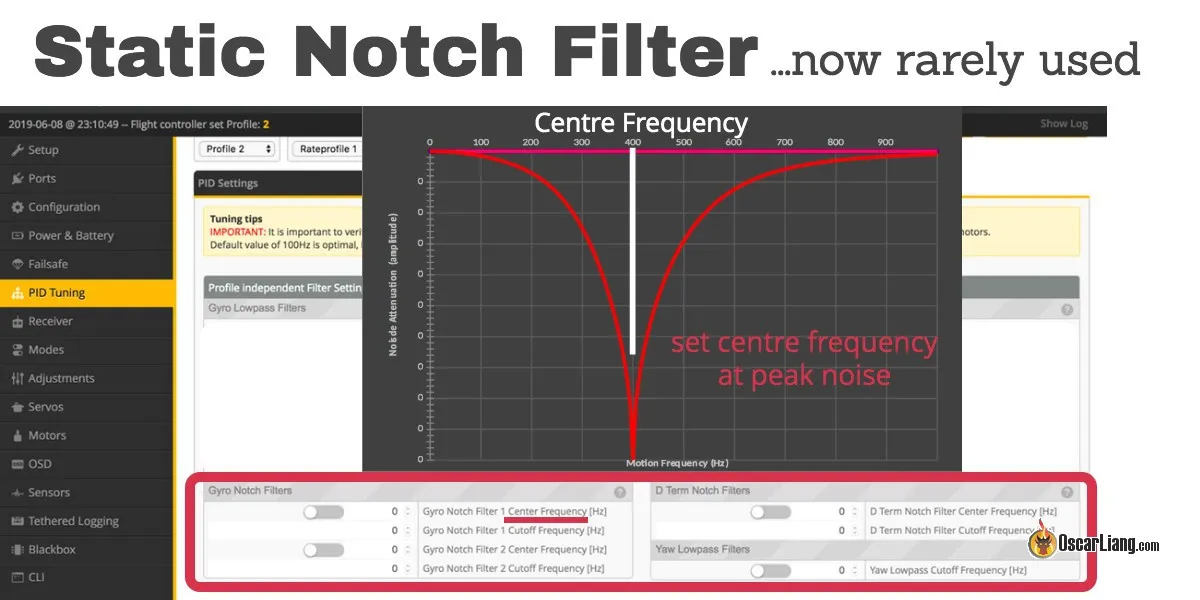
- Tuning Your Drone: Dive into PID tuning in Betaflight to optimize your drone's flight characteristics for your style.
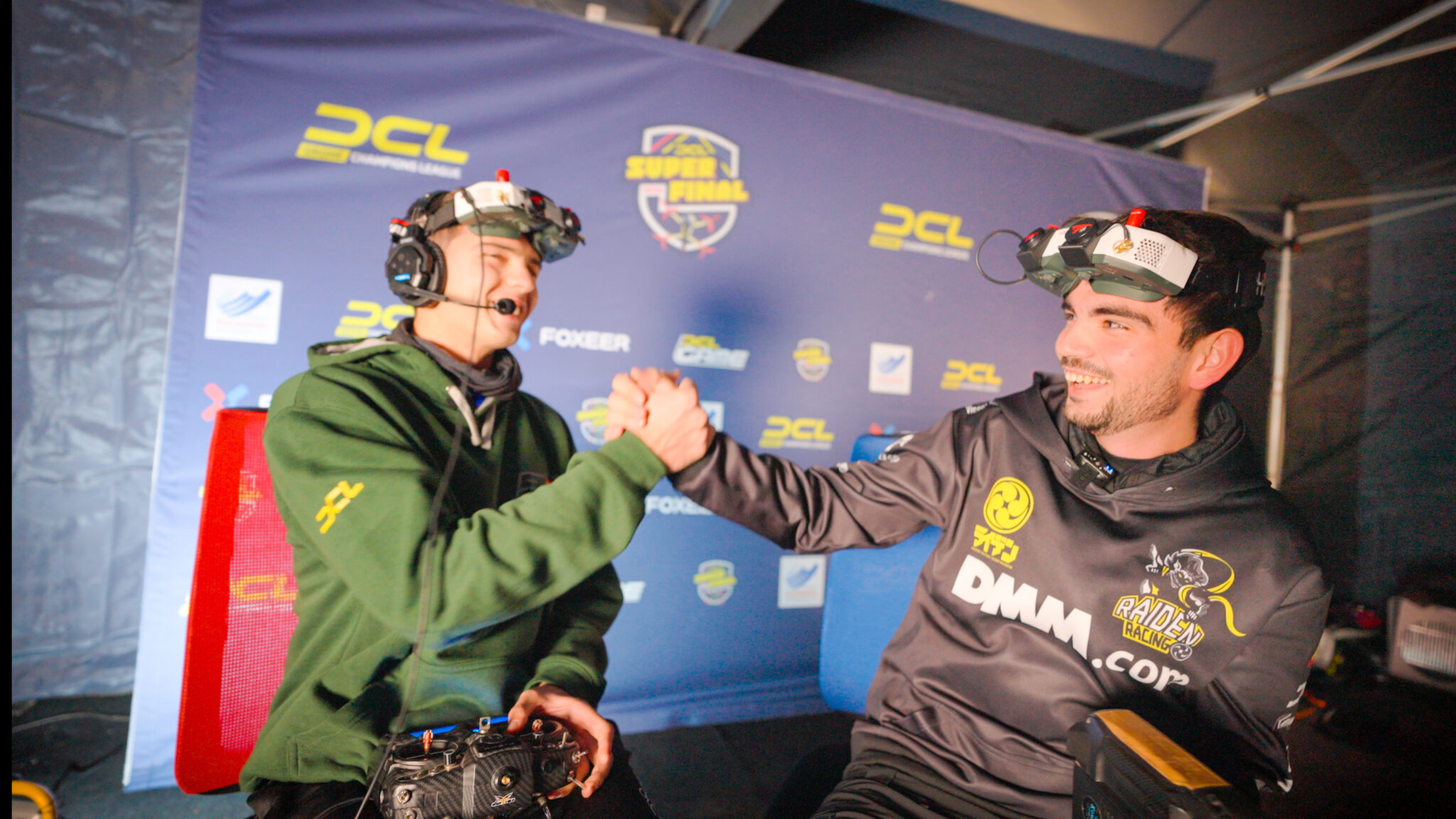
- Competitive Racing: Look for local or national FPV racing events. The thrill of racing against others is a unique experience.
When to Upgrade: Evolving Your Gear
You'll know it's time to upgrade when:
- Your current gear is holding you back: For instance, if your box goggles limit your vision or your radio lacks precision.
- You're constantly breaking parts: A more durable frame or better motors might be in order.
- You want better performance: Lighter frames, more powerful motors, or a more advanced flight controller can significantly improve your racing capabilities.
- You want to switch to digital FPV: Upgrading to a DJI or Walksnail system offers a vastly superior video experience.
Frequently Asked Questions (FAQ)
How much does it cost to start FPV racing?
Starting costs can vary significantly. A good beginner RTF (Ready-To-Fly) kit including drone, goggles, and controller can range from $250-$500. Building your own or buying separate components can be more or less, depending on choices, but generally, expect an initial investment of $400-$800 for a decent setup.
How long does it take to learn FPV racing?
Learning FPV racing is a journey, not a destination. With consistent simulator practice (30-60 minutes daily), most beginners can achieve basic controlled flight in Acro mode within 2-4 weeks. Mastering race lines and competitive flying can take months to years of dedicated practice.
Can I use my gaming controller for FPV simulators?
While some simulators might support gaming controllers, it's highly recommended to use a dedicated FPV radio transmitter. This builds essential muscle memory and stick feel that directly translates to flying a real FPV drone, making the transition much smoother.
What's the difference between FPV racing and freestyle?
FPV racing focuses on speed and precision, navigating a defined course with gates and obstacles as quickly as possible. FPV freestyle, on the other hand, emphasizes creative aerial maneuvers, tricks, and cinematic flying, often in natural environments, without the constraints of a race track.
Do I need a license to fly FPV racing drones?
Regulations vary by country. In many places (like the US, under FAA rules), recreational drone pilots flying drones over a certain weight must register their drone and pass a basic aeronautical knowledge test (e.g., TRUST test in the US). Always check your local aviation authority's regulations for specific licensing and registration requirements.
Conclusion
Congratulations, future FPV pilot! You've just completed the 'Zero to Race Ready' roadmap, equipping yourself with the foundational knowledge to embark on your FPV racing adventure. Remember, every master was once a beginner. Embrace the crashes, celebrate the small victories, and never stop learning. The FPV community is vibrant and welcoming, ready to support you every step of the way. Now, take that first step, get your gear, hit the simulator, and prepare to experience the world from a whole new perspective. The sky is calling, and your race is about to begin! Ready to gear up? Check out our recommended beginner FPV racing kits and start your journey today!
Copyright-safe media generated locally by FPVLovers