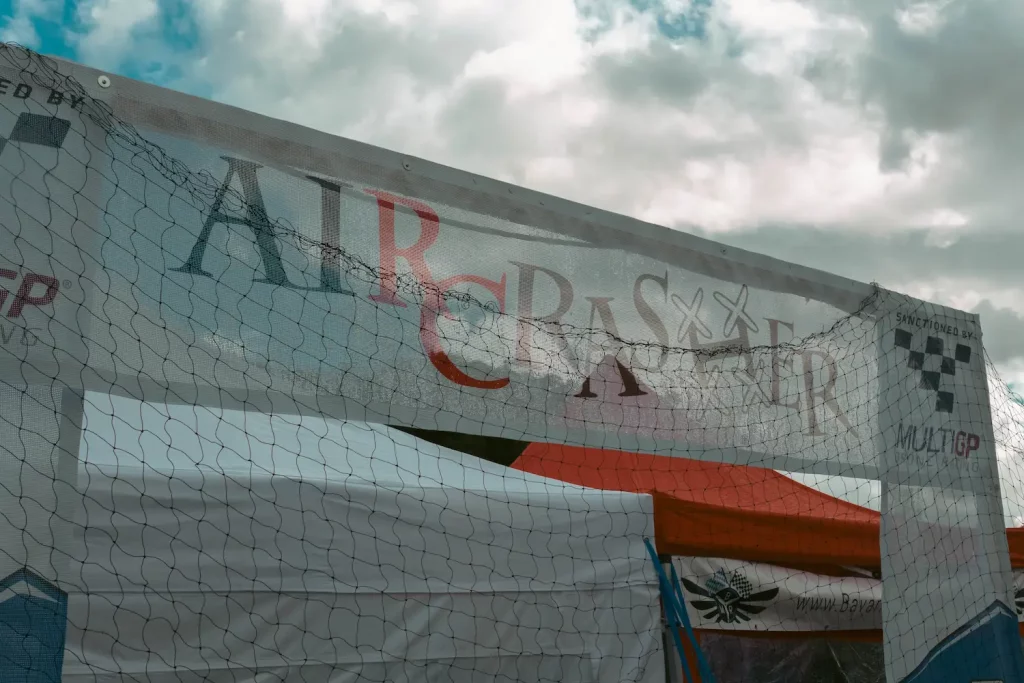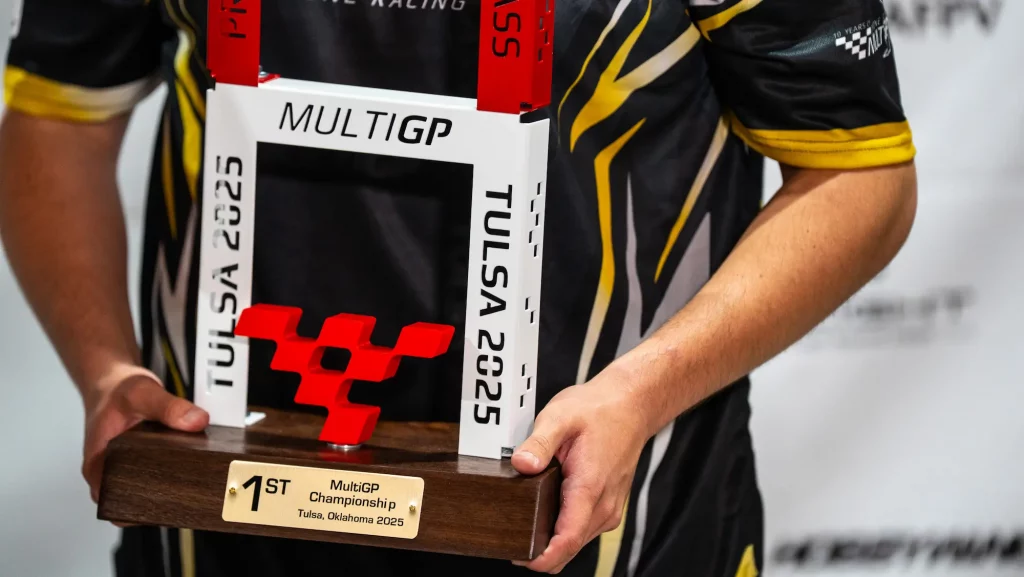
Kings of Tulsa: MultiGP Champs 2025 Recap
Reviewing the highlights and winners from the MultiGP Championship 2025.
The FPV Racing Pilot's Roadmap: From Simulator to First Race, Mastering Every Turn
Introduction: The Adrenaline Rush of FPV Racing
Have you ever dreamt of flying like a bird, not just observing, but actively navigating a high-speed course with pinpoint precision? FPV (First Person View) racing offers exactly that: an unparalleled, immersive experience where you pilot a high-performance drone from the cockpit perspective, competing against others through challenging aerial tracks. It's a thrilling blend of lightning-fast reflexes, strategic thinking, and advanced technical skill. The rush of weaving through gates at breakneck speeds, the roar of the motors, and the complete immersion in the flight is what draws thousands into this electrifying sport.
What You'll Discover in This Ultimate Guide
This comprehensive guide is your ultimate roadmap to entering the exhilarating world of FPV racing. Whether you're a complete novice or an aspiring intermediate pilot looking to refine your skills, we'll cover everything you need to know. From understanding the core concepts and essential gear to mastering flight techniques on a simulator, setting up your drone, and even preparing for your first real-world race, we'll equip you with the knowledge and confidence to take to the skies and conquer the track. Get ready to embark on an incredible journey from beginner to champion!
What is FPV Racing? A Thrilling Overview
Experience the Track from the Cockpit: A Deep Dive into FPV Racing
FPV racing is a competitive sport where pilots control small, agile drones equipped with on-board cameras that transmit live video feed to FPV goggles worn by the pilot. This gives the sensation of being inside the drone's cockpit, providing an incredibly immersive and visceral experience. Racers navigate custom-designed tracks featuring gates, flags, and obstacles, aiming to complete laps faster than their competitors. The drones are built for speed and agility, often reaching speeds of 100-150 km/h (60-90 mph) in a matter of seconds. It's a true test of a pilot's hand-eye coordination, spatial awareness, and ability to make split-second decisions under pressure.
FPV Racing vs. Freestyle: Understanding the Core Differences
While both FPV racing and freestyle involve flying FPV drones, their objectives and flying styles are distinct:
- FPV Racing: Focuses on speed, precision, and efficiency around a defined track. Drones are typically optimized for lightweight, aerodynamic performance and quick acceleration. The goal is to complete laps in the shortest time possible, often requiring smooth, consistent lines and aggressive cornering.
- FPV Freestyle: Emphasizes creative aerial maneuvers, tricks, and acrobatic flying. Pilots perform flips, rolls, dives, and complex combinations, often interacting with the environment (e.g., diving buildings, power looping trees). Freestyle drones prioritize durability, strong motors for recovery from tricks, and a good power-to-weight ratio for dynamic movements.
While a dedicated racing drone will outperform a freestyle drone on a race track, many pilots start with a versatile "freestyle/racing hybrid" setup that can handle both.
The Evolution of Drone Racing: From Hobby to Global Sport
What started as a niche hobby among enthusiasts tinkering in their backyards has rapidly evolved into a globally recognized sport. Early drone racing involved crude setups and informal gatherings. However, with advancements in drone technology, flight controllers, and video transmission systems, the sport exploded in popularity. Organizations like the Drone Racing League (DRL) and MultiGP have professionalized the sport, offering structured competitions, large prize pools, and attracting significant media attention. This evolution has driven innovation, making drones faster, more reliable, and more accessible to a wider audience.
Your First Steps: Getting Started with FPV Racing
The Absolute Essentials: Core FPV Racing Gear You Need
To embark on your FPV racing journey, you'll need a few key pieces of equipment. Think of these as your pilot's license, your eyes, and your hands:
- FPV Drone: The star of the show! For racing, you'll typically look at 5-inch prop drones running on 4S or 6S LiPo batteries. Popular beginner-friendly options include the EMAX Tinyhawk III (a great indoor/small outdoor option) or BetaFPV Cetus X (a slightly larger, more powerful beginner kit).
- FPV Goggles: These display the live video feed from your drone's camera.
- Budget-friendly: Eachine EV800D (box goggles) offer a large field of view for a low price.
- Mid-range: Skyzone Cobra X or Fat Shark Recon HD provide better image quality and features.
- High-end (Digital): DJI Goggles 2/3 or Walksnail Avatar HD Goggles offer superior clarity and range for those ready to invest in digital FPV.
- Radio Transmitter (TX): Your remote control. This is how you tell your drone what to do.
- Beginner-friendly: Radiomaster Zorro or Jumper T-Lite V2 are excellent compact options.
- Intermediate/Advanced: Radiomaster Boxer or TX16S MkII offer full-size gimbals and more features.
- Pro Tip: Choose a radio with OpenTX or EdgeTX firmware for maximum customizability.
- LiPo Batteries: The power source for your drone. For a 5-inch racing drone, you'll typically use 4S (14.8V) or 6S (22.2V) batteries with capacities ranging from 1100mAh to 1500mAh. You'll need several for a good flying session!
- LiPo Charger: Essential for safely recharging your batteries. Look for a balanced charger like an ISDT Q6 Nano or HOTA D6 Pro.
- Spare Propellers: You will crash, especially when learning. Always have plenty of spares!
Choosing Your Path: RTF, BNF, or DIY for Beginners
When acquiring your first drone, you have three main paths:
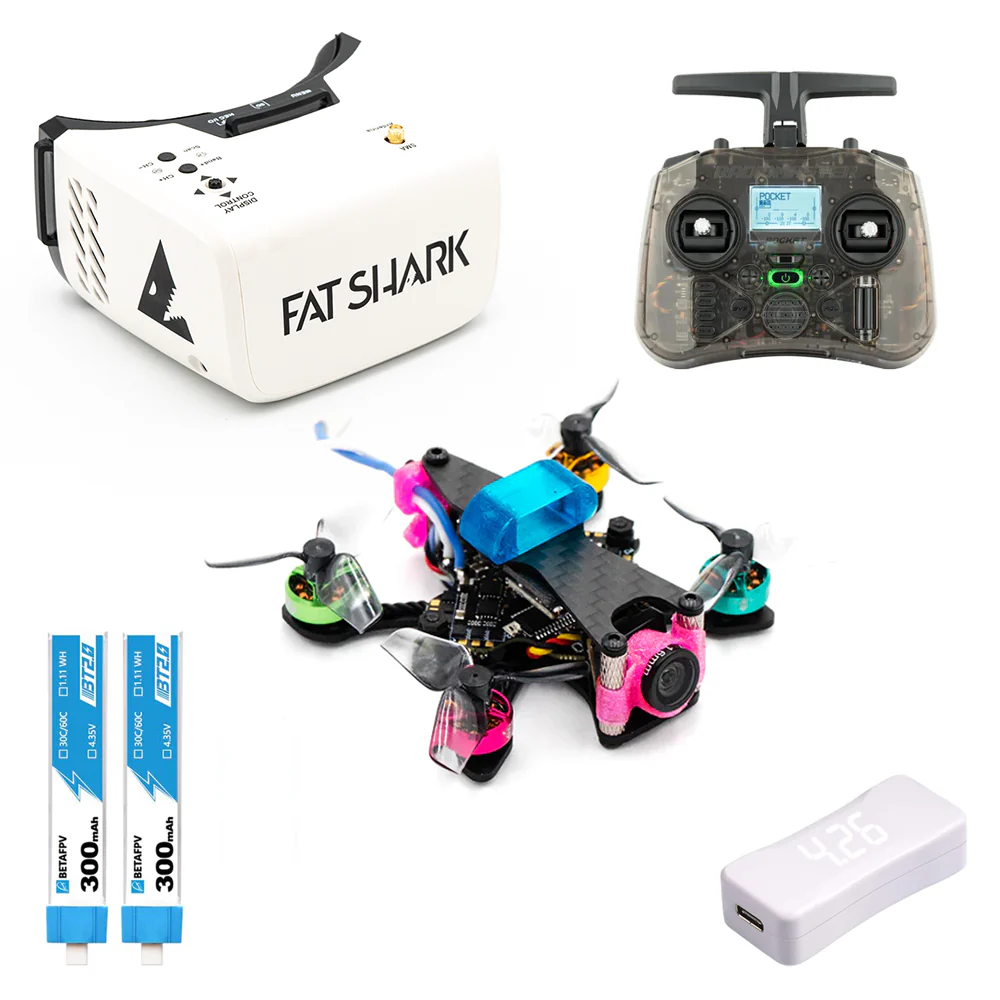
- RTF (Ready-To-Fly) Kits: These kits include everything you need: drone, goggles, and radio, all pre-bound and configured.
- Pros: Easiest way to start, minimal setup, great value.
- Cons: Components might be entry-level, less room for upgrades.
- Recommended for Beginners: BetaFPV Cetus X RTF Kit, EMAX Tinyhawk III Plus RTF Kit.
- BNF (Bind-N-Fly) Drones: These drones come fully assembled and configured, but without a radio or goggles. You'll need to buy these separately and bind them to the drone.
- Pros: Allows you to choose higher-quality radio/goggles from the start, often better-performing drones than RTF kits.
- Cons: Requires basic binding/setup knowledge.
- Recommended for Beginners with a bit more confidence: Pair a Radiomaster Zorro with a iFlight Nazgul Evoque F5D (analog) or a Cinebot30 (digital).
- DIY (Do-It-Yourself) Builds: You purchase all components separately and assemble the drone yourself.
- Pros: Deep understanding of your drone, full customization, often the best performance for the price.
- Cons: Steep learning curve, requires soldering skills, time-consuming, troubleshooting can be complex.
- Not Recommended for Absolute Beginners: Save this for when you have some experience.
Navigating the Skies: FPV Racing Regulations and Safety Guidelines
Flying FPV drones, especially racing drones, comes with responsibilities. Always prioritize safety and adhere to local regulations:
- Visual Line of Sight (VLOS): In many countries, you are required to maintain VLOS with your drone, even if flying FPV. This often means having a spotter with you who can keep an eye on the drone while you're wearing goggles.
- No-Fly Zones: Respect airspace restrictions around airports, military installations, government buildings, and critical infrastructure. Always check local aeronautical charts.
- Privacy: Be mindful of people's privacy. Avoid flying over private property without permission or filming individuals without consent.
- Public Safety: Never fly over crowds of people or in areas where your drone could pose a risk to property or individuals.
- Drone Registration: Depending on your country (e.g., Turkey's SHGM), you may need to register your drone if it exceeds a certain weight.
- Battery Safety: LiPo batteries are powerful and can be dangerous if mishandled. Store them in fire-safe bags, never overcharge or over-discharge them, and inspect them for damage regularly.
Pro Tip: Always do a thorough pre-flight check of your drone and surroundings before every flight.
Mastering the Controls: Simulator Training & Basic Techniques
Why FPV Racing Simulators are Your Best Friend for Skill Building
Before you even think about flying a real drone, FPV simulators are absolutely crucial. They are the safest, cheapest, and most efficient way to learn the ropes and build muscle memory.
- Cost-Effective: Crash endlessly without damaging expensive hardware.
- Safe: Practice risky maneuvers without any real-world danger.
- Rapid Skill Development: Get hours of flight time in a short period, experimenting with different settings and tracks.
- Muscle Memory: Develop the instinctive control needed for real flight.
Popular FPV Simulators:
- Velocidrone: Highly realistic physics, great for racing practice.
- DRL Simulator: Excellent for competitive racing and mastering specific track layouts.
- Liftoff: Good all-around simulator with realistic physics and a variety of maps.
- Uncrashed: Known for its beautiful graphics and realistic crash physics.
Connect your FPV radio directly to your computer via USB, and the simulator will recognize it as a joystick. This ensures a seamless transition to real flight.
Demystifying Flight Modes & Essential Radio Controls
Understanding flight modes and basic radio controls is fundamental:
- Flight Modes:
- Angle Mode (Self-Leveling): The drone automatically levels itself when you release the sticks. Great for absolute beginners to get a feel for controls. Not suitable for racing due to limited maneuverability.
- Acro Mode (Rate Mode): The drone maintains its last commanded angle. If you pitch forward, it will continue to pitch forward until you command it otherwise. This is the only mode used for FPV racing and freestyle, as it provides full, unassisted control. It's challenging at first but offers unparalleled precision and agility.
- Radio Controls (Mode 2 - most common):
- Left Stick:
- Throttle (Up/Down): Controls the power to the motors, dictating altitude and vertical speed.
- Yaw (Left/Right): Rotates the drone horizontally around its vertical axis (like turning your head).
- Right Stick:
- Pitch (Up/Down): Tilts the drone forward or backward, controlling forward/backward speed.
- Roll (Left/Right): Tilts the drone left or right, controlling sideways movement.
- Left Stick:
Pro Tip: Spend 10-20 hours (or more!) exclusively in Acro mode on the simulator before attempting your first real flight.
First Flight Fundamentals: Hovering, Turning, and Gate Navigation
Once you're comfortable in Acro mode on the simulator, practice these fundamentals:
- Gentle Takeoff & Hovering: Slowly increase throttle to lift off. Learn to maintain a stable hover by making small, precise throttle adjustments.
- Forward Flight: Gently push the right stick forward (pitch) to move forward, and ease off the throttle slightly to prevent gaining too much altitude.
- Basic Turns (Yaw Turns): While moving forward, use the left stick (yaw) to rotate the drone. This is a very basic turn, but important for initial orientation.
- Coordinated Turns (Bank Turns): This is where FPV racing truly begins. While pitching forward, use the right stick (roll) to bank the drone into the turn, and simultaneously use the left stick (yaw) to help pivot around the corner. This keeps your momentum and is much more efficient than just yawing.
- Gate Navigation: Practice flying through virtual gates. Start with wide, open gates, then gradually move to tighter, more challenging ones. Focus on maintaining a smooth, consistent line.
Building & Setting Up Your Racing Drone for Peak Performance
Anatomy of a Racing Drone: Key Components Explained
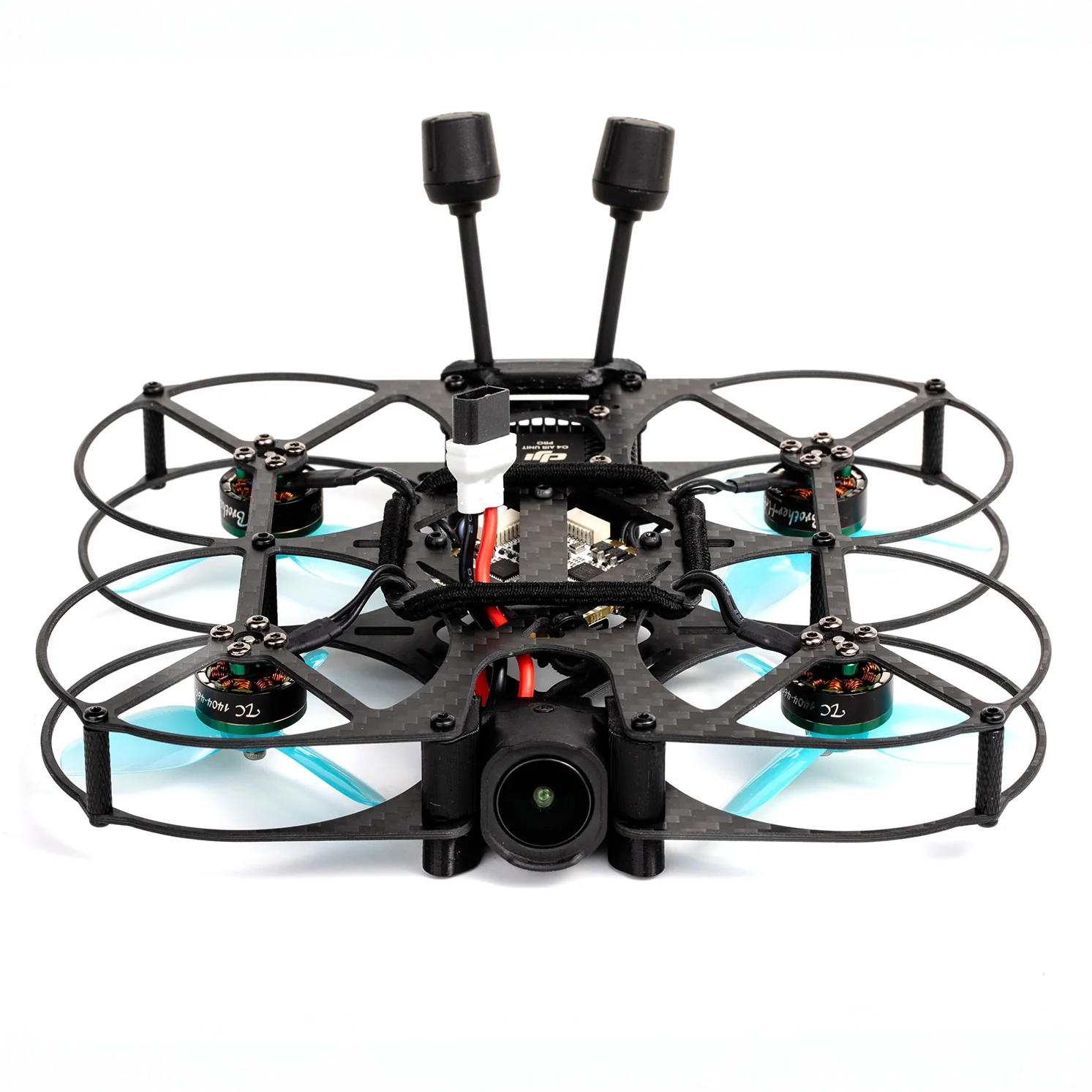
A typical FPV racing drone is a marvel of engineering, comprising several interconnected components:
- Frame: The skeletal structure, usually carbon fiber, providing rigidity and mounting points for all other components. Sizes are often denoted by motor-to-motor distance (e.g., 5-inch frames for 5-inch propellers).
- Flight Controller (FC): The "brain" of the drone. It takes input from your radio, processes data from gyroscopes/accelerometers, and sends commands to the ESCs. Modern FCs often run Betaflight firmware. Popular chips are F4 or F7.
- Electronic Speed Controllers (ESCs): These convert the FC's signals into electrical power for the motors, controlling their speed individually. Often come as 4-in-1 units for cleaner builds.
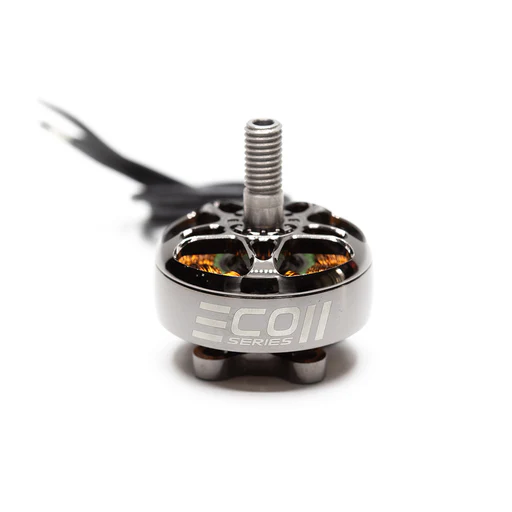
- Brushless Motors: Provide the thrust. Sized by stator diameter and height (e.g., 2207, 2306). Higher kV ratings generally mean more RPMs per volt, suitable for racing.
- Propellers: Convert motor rotation into thrust. Sized to match motors and frame (e.g., 5x4x3 - 5-inch diameter, 4-inch pitch, 3 blades).
- FPV Camera: Captures the live video feed. Many racers use Caddx Ratel 2 or RunCam Phoenix 2 for their excellent low-light performance and low latency.
- Video Transmitter (VTX): Sends the camera's video signal wirelessly to your FPV goggles. Analog VTXs (e.g., TBS Unify Pro32) are common, while digital systems (DJI O3 Air Unit, Walksnail Avatar) offer superior image quality.
- Receiver (RX): Receives control signals from your radio transmitter. Popular protocols include ExpressLRS (ELRS), Crossfire (CRSF), and FrSky. ELRS is currently very popular for its low latency and long range.
- LiPo Battery: The power source, typically mounted on top or bottom.
Initial Setup Guide: Betaflight Configuration & Radio Binding
For BNF or DIY drones, you'll need to configure your flight controller using Betaflight Configurator (a free software tool).
- Install Betaflight Configurator: Download and install it on your computer.
- Connect FC: Connect your drone's flight controller to your computer via USB.
- Firmware Flash (if necessary): Ensure your FC has the latest stable Betaflight firmware.
- Receiver Tab: Configure your receiver protocol (e.g., ELRS, Crossfire). Ensure all stick movements register correctly.
- Modes Tab: Assign switches on your radio to control flight modes (Arm/Disarm, Acro, Angle) and other functions like a Beeper or Turtle Mode.
- VTX Tab (if applicable): Configure your VTX channels, power levels, and bands using a VTX table.
- Radio Binding: Follow your radio and receiver's specific instructions to bind them. This is how they communicate wirelessly. For ExpressLRS, this often involves flashing the same firmware version to both the radio module and the drone's receiver.
Pro Tip: Watch comprehensive YouTube tutorials on Betaflight setup for your specific drone/FC. Joshua Bardwell's guides are invaluable.
Fine-Tuning Your Ride: Introduction to PID Tuning for Racing
PID (Proportional, Integral, Derivative) tuning is how you adjust your drone's flight characteristics to make it stable, responsive, and precise.
- P (Proportional): Determines how strongly the drone corrects itself when it deviates from the desired angle. Too high, and it oscillates; too low, and it feels sluggish.
- I (Integral): Corrects for long-term errors and drift. Helps the drone maintain its set attitude.
- D (Derivative): Damps oscillations and prevents overcorrection. Smooths out the flight.
For beginners, the stock Betaflight PIDs are an excellent starting point and are often perfectly adequate for racing. As you gain experience, you might tweak them slightly to match your flying style and the drone's specific setup. Advanced pilots will spend hours fine-tuning, but it's not necessary to start.
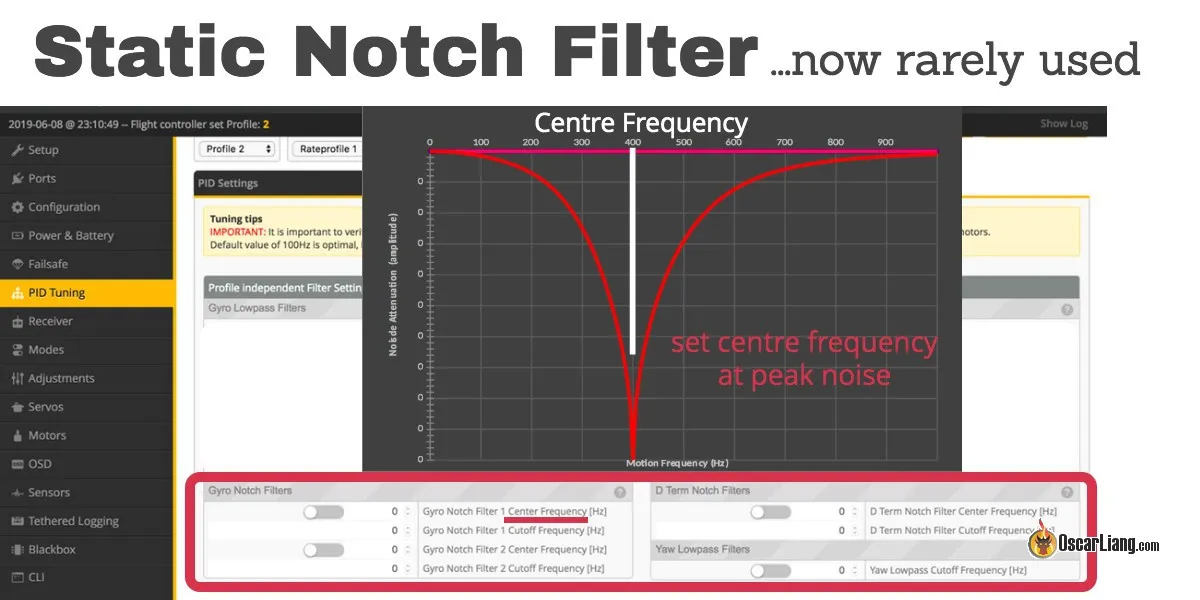
Pro Tip: Only change one PID value at a time, make small adjustments, and test thoroughly. Use blackbox logs to analyze flight performance.
Advanced Racing Techniques & Track Strategies
Mastering the Line: Cornering, Apexes, and Efficient Track Flow
Once you're comfortable with basic flight, focusing on the "line" is crucial for speed.
- The Racing Line: This is the shortest and fastest path around a track. It involves using the full width of the track to straighten out corners as much as possible.
- Apexes: The innermost point of a corner. For speed, you typically want to "clip the apex," meaning your drone passes very close to it.
- Early Apex: Entering a turn early, exiting wide. Good for slower, tighter turns where you need to accelerate out.
- Late Apex: Entering wide, hitting the apex later in the turn, allowing for an earlier and faster exit. Often preferred for maintaining momentum on faster tracks.
- Smoothness is Speed: Jerky stick inputs waste energy and time. Aim for fluid, continuous movements. Think of it as painting a smooth line through the air.
Throttle Control & Momentum Management for Speed and Precision
Many beginners think "full throttle all the time" is the way to win. This is a common misconception.
- Throttle Management: Racing is about judicious throttle control. Use just enough throttle to maintain altitude and speed, but be ready to punch it for acceleration or cut it for controlled descents.
- Momentum Conservation: Every time you brake or make a sharp, inefficient turn, you lose momentum, which takes precious battery power and time to regain. Aim to carry speed through corners by using coordinated turns and maintaining a good racing line.
- Pre-loading: Briefly increasing throttle before a gate or obstacle can help you maintain speed as you pass through it, especially in turns.
Race Day Preparation: Mental Game, Pit Stops, and Troubleshooting
Race day can be intense, but preparation is key:
- Mental Game: Stay calm, focus on your line, and don't let crashes or other pilots get to you. Visualize the track.
- Pre-Race Checks:
- Drone: Check propellers for damage, battery strap tightness, antenna security, and camera angle.
- Radio: Ensure batteries are charged, and the correct model is selected.
- Goggles: Charged batteries, clean lenses, correct VTX channel.
- Pit Stops & Spares: Have a well-organized pit bag with:
- Plenty of charged batteries (at least 6-8 for practice and racing).
- Spare propellers (a full bag!).
- Basic tools: hex drivers, prop tool, small pliers, zip ties, electrical tape.
- Small soldering iron (if you're comfortable with quick repairs).
- Troubleshooting: Know basic fixes for common issues (e.g., prop damage, dislodged antenna, loose battery).
- Walk the Track: If possible, walk the physical track before flying. Visualize your lines and identify tricky sections.
The FPV Racing Pilot's Buyer's Guide: Gear Up for Success
Recommended Starter Kits & Beginner-Friendly FPV Racing Drones
For those just starting, an RTF kit is often the most straightforward entry point:
- BetaFPV Cetus X RTF Kit: A fantastic option, offering a powerful 2S drone, good quality goggles (VR03), and a capable radio (LiteRadio 3). It bridges the gap between tiny whoops and 5-inch drones, allowing both indoor and outdoor flight.
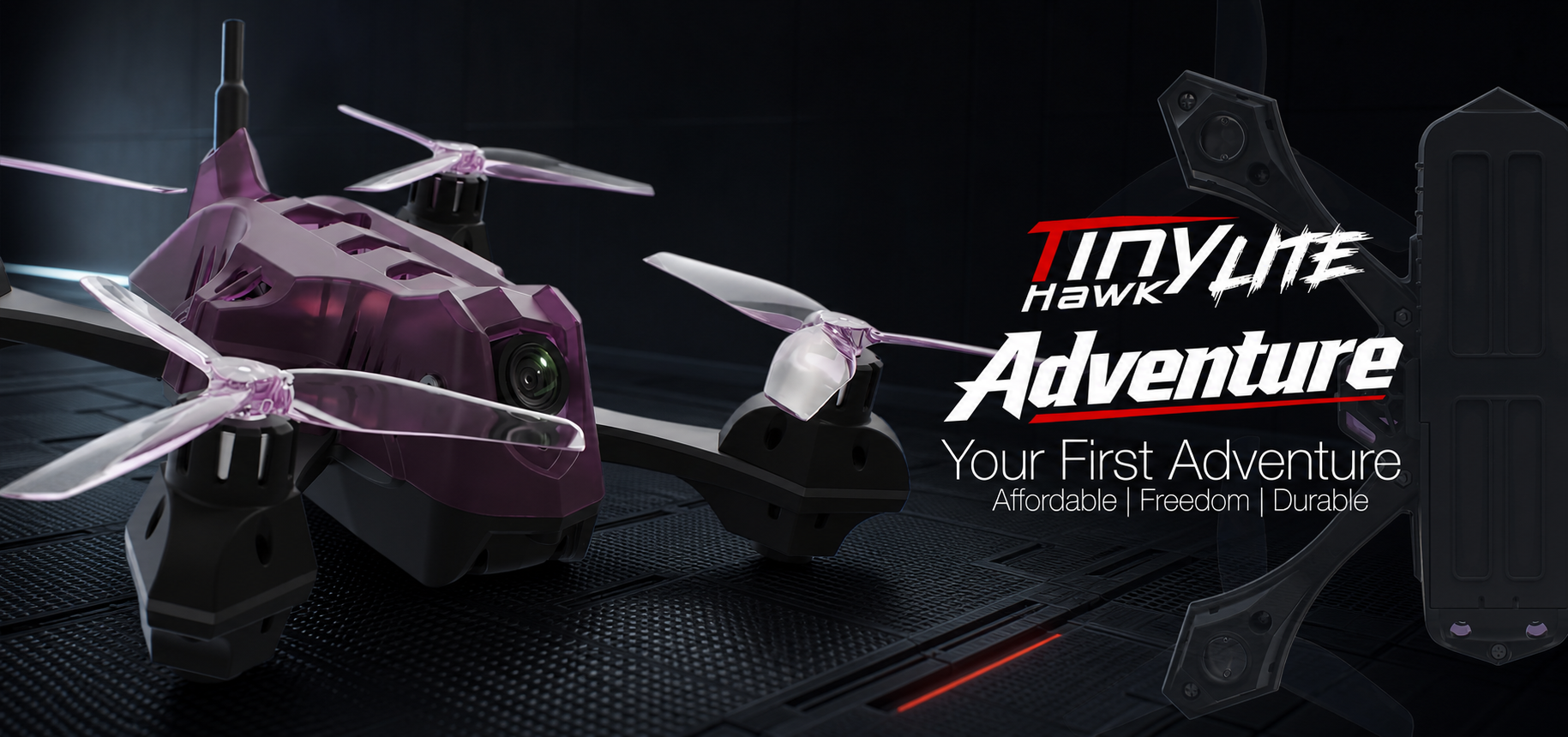
- EMAX Tinyhawk III Plus RTF Kit: An evolution of a classic, this 1S kit is perfect for indoor flight and learning in smaller outdoor spaces. Very durable and forgiving.
- Eachine Novice IV RTF Kit: Another strong contender, often offering a 3-inch or 4-inch drone with decent components for its price point.
If you opt for a BNF drone and separate radio/goggles:
- Drone: Look for 3-inch to 5-inch models like the iFlight Nazgul Evoque F5D (analog) or Cinebot30 (digital, but can be used with analog VTX if specified), GEPRC Smart35.
- Radio: Radiomaster Zorro (compact, gamepad style) or Radiomaster Boxer (full-size, traditional). Both support ExpressLRS.
- Goggles: Eachine EV800D (budget box goggles) or Skyzone Cobra X (better box goggles).
Upgrading Your Arsenal: Advanced Goggles, Radios, and Chargers
As your skills grow, you'll naturally want to upgrade certain components:
- Goggles:
- Analog: Fat Shark HDO2/HDZero Goggles or Skyzone SKY04X offer top-tier analog performance.
- Digital: DJI Goggles 2/3 (for DJI O3 Air Unit) or Walksnail Avatar HD Goggles X (for Walksnail Avatar system) provide a revolutionary leap in video clarity and range.
- Radios: Radiomaster TX16S MkII (highly versatile, large screen) or FrSky Taranis X9D Plus SE 2019 (a long-standing favorite).
- Chargers: ISDT K4 or HOTA D6 Pro are dual-port, high-power chargers that can charge multiple batteries quickly and safely.
Essential Spares, Tools, and Accessories for the FPV Racer
Don't underestimate the importance of your pit kit:
- Spares:
- Propellers: Lots of them! Different pitches and blade counts to experiment with.
- LiPo Batteries: At least 6-8, fully charged.
- Battery Straps: They wear out or break.
- Zip Ties: Invaluable for quick repairs and securing components.
- Shrink Tubing: For insulating wires.
- Tools:
- Hex Driver Set: Essential for drone assembly and repairs (1.5mm, 2mm, 2.5mm are common).
- Prop Tool: Makes changing props easier and safer.
- Small Pliers & Wire Cutters: For various tasks.
- Soldering Iron & Solder: For more serious repairs (e.g., motor wire breaks).
- Multimeter: For checking voltage and continuity.
- Accessories:
- LiPo Safe Bag: Crucial for charging and storing LiPo batteries.
- Battery Voltage Checker: Quick way to check individual cell voltages.
- Goggle Case: Protect your investment.
- Drone Backpack: For convenient transport of all your gear.
Frequently Asked Questions About FPV Racing
How much does it cost to start FPV racing?
You can start with an RTF kit for as little as $200-$400 USD. This includes a drone, goggles, and radio. If you buy components separately, a decent beginner setup might cost $500-$800 USD. Ongoing costs include spare props, batteries, and occasional repairs.
Is FPV racing difficult for beginners, and how long does it take to get good?
Yes, FPV racing has a steep learning curve, especially learning Acro mode. However, with consistent simulator practice (10-20 hours minimum before real flight), you can gain basic proficiency relatively quickly. To "get good" and be competitive, it takes hundreds of hours of practice, both in simulators and real life. Consistency and patience are key.
What's the best way to practice FPV racing effectively?
- Simulator First: Spend significant time (20+ hours) in a simulator in Acro mode.
- Focus on Fundamentals: Master hovering, smooth turns, and gate navigation before trying complex maneuvers.
- Consistent Practice: Short, frequent sessions (30-60 minutes daily) are more effective than long, infrequent ones.
- Analyze Your Flights: Record your simulator sessions or real flights and review them to identify mistakes and areas for improvement.
- Follow the Racing Line: Study track layouts and practice hitting apexes and maintaining momentum.
Can I race my freestyle drone, or do I need a dedicated racing drone?
You can absolutely race a freestyle drone, especially when starting out. Many freestyle drones are powerful and agile enough for casual racing. However, a dedicated racing drone will typically be lighter, more aerodynamic, and tuned for aggressive cornering and acceleration, giving it an edge in competitive scenarios. For beginners, a versatile freestyle drone is a great starting point, allowing you to explore both aspects of FPV.
Where can I find local FPV racing communities and events?
The FPV community is vibrant and welcoming!
- Online Forums & Social Media: Join FPV groups on Facebook, Reddit (r/fpvracing, r/fpv), and dedicated forums. Websites like MultiGP.com list official racing chapters.
- Local Hobby Shops: Ask at your local RC or drone hobby shop; they often know about local clubs.
- YouTube & Discord: Many FPV YouTubers have Discord communities where you can connect with local pilots.
- fpvlovers.com.tr topluluğu: Our own community is a great place to connect with fellow Turkish FPV enthusiasts and find out about local meetups and events!
Conclusion: Your Journey to Becoming an FPV Racing Champion
Recap: Key Takeaways for Aspiring FPV Racers
You've now got a comprehensive roadmap to becoming an FPV racing pilot. Remember these key takeaways:
- Start with the Simulator: It's your safest and most cost-effective training ground.
- Choose Wisely: An RTF kit or a BNF drone with a quality radio and goggles is ideal for beginners.
- Master Acro Mode: This is the only way to truly race and unlock your drone's full potential.
- Safety First: Always adhere to regulations and practice responsible flying.
- Practice Consistently: Skill comes from dedication, not just raw talent.
- Smoothness Over Speed: Focus on clean lines and momentum management.
- Join the Community: Learn from others, share experiences, and make new friends.
Call to Action: Join the FPV Racing Community and Take Flight!
The world of FPV racing is waiting for you. It's a journey filled with challenges, triumphs, and an incredible sense of freedom. Don't be intimidated by the learning curve; every expert pilot started exactly where you are now. Grab your gear, hop on a simulator, and start your engines.
Ready to take the plunge? Join the fpvlovers.com.tr community today, share your progress, ask questions, and connect with fellow FPV enthusiasts across Turkey. We can't wait to see you on the track!
Copyright-safe media generated locally by FPVLovers