FPV Simulator Practice Plan: First 30 Days
An evergreen FPVLovers guide focused on using simulator time with structure instead of random flying.
The Progressive FPV Pilot's Blueprint: A Tiered Simulator Practice Plan from Basic Controls to Freestyle Mastery
Ever dreamt of soaring through the skies with an FPV drone, executing breathtaking maneuvers, but fear the inevitable (and costly) crashes? The secret to mastering FPV flight, especially the exhilarating acro mode, lies not in endless real-world attempts, but in a structured, progressive practice plan within an FPV simulator. This guide is your blueprint to transforming from a hesitant beginner to a confident FPV pilot, all from the safety of your screen.
Whether you're looking to learn FPV acro mode, develop a robust FPV flight training program, or simply improve your FPV freestyle practice, an effective FPV simulator practice plan is your most valuable asset.
Why FPV Simulators Are Your Best Co-Pilot
FPV simulators are more than just games; they are sophisticated training tools that provide an unparalleled environment for learning and honing your piloting skills.
The Cost-Saving & Confidence-Building Advantage
One of the most compelling reasons to embrace FPV simulators is the sheer financial relief they offer. In the real world, every crash can lead to broken frames, motors, propellers, or even more expensive components like flight controllers and VTXs. This financial risk often leads beginners to fly cautiously, limiting their experimentation and slowing down their learning curve.
With a simulator, crashes are entirely consequence-free. You can push your limits, try daring maneuvers, and explore complex lines without a single worry about damaging your drone. This freedom fosters fearless experimentation, which is crucial for rapid skill development and building the confidence you'll need when you eventually take to the actual skies. It's the ultimate FPV beginner guide for safe progression.
Mastering Acro Mode Without the Risk
Acro mode is the heart of true FPV flying, whether you're racing through gates or flowing through a freestyle park. Unlike "angle" or "horizon" modes, acro mode gives you direct control over the drone's angular rates, meaning it won't self-level. This allows for flips, rolls, inverted flight, and all the dynamic maneuvers that define FPV.
Learning acro mode in the real world can be daunting. A momentary lapse in judgment or an incorrect stick input can send your drone spiraling into the ground. Simulators provide the perfect, consequence-free environment to learn its nuances. You can practice endless power loops, split-S maneuvers, and inverted hovers until they become second nature, internalizing the physics and control without the stress of real-world repercussions. This is where FPV sim drills truly shine.
Developing Muscle Memory and Reflexes
FPV flight, especially at higher skill levels, demands incredibly precise and often instinctive stick inputs. There's little time for conscious thought when you're navigating tight gaps or recovering from a dive. This is where muscle memory comes into play.
Repetitive practice in a simulator builds the neurological pathways that translate visual cues into immediate, accurate stick movements. The more you fly in the sim, the more ingrained these reactions become. You'll find yourself making micro-adjustments and executing complex sequences almost without thinking, a testament to the hours spent honing your reflexes. This consistent practice is key to developing the lightning-fast reactions required for advanced FPV flying.
Setting Up for Optimal Simulator Training
Before you dive into the drills, ensuring your simulator setup is optimized for realism and comfort is crucial for effective training.
Choosing the Right FPV Simulator for Your Journey
The market offers several excellent FPV simulators, each with its strengths. Choosing the right one depends on your priorities:
- Velocidrone: Widely regarded for its highly realistic physics, especially for racing. It offers a vast array of tracks, drones, and excellent training features like specific race lines and ghost drones. If you're serious about racing or want the most realistic flight feel, Velocidrone is a top contender.
- Liftoff: Known for its stunning graphics, diverse environments, and strong community focus. It's excellent for freestyle practice with a good selection of maps and drone customization. Liftoff is often praised for being more beginner-friendly while still providing a challenging experience.
- DRL Simulator: Based on the Drone Racing League's actual drones and tracks, it offers a competitive, high-speed racing experience. It's fantastic for improving speed, precision, and understanding race lines.
- Uncrashed: An emerging favorite for its beautiful, dynamic environments and highly realistic physics. It excels in freestyle scenarios, offering a great sense of speed and immersion.
Many pilots own multiple simulators to leverage the unique strengths of each.
Essential Hardware: Controller & PC Specs
To get the most out of your FPV simulator training, you need the right hardware:
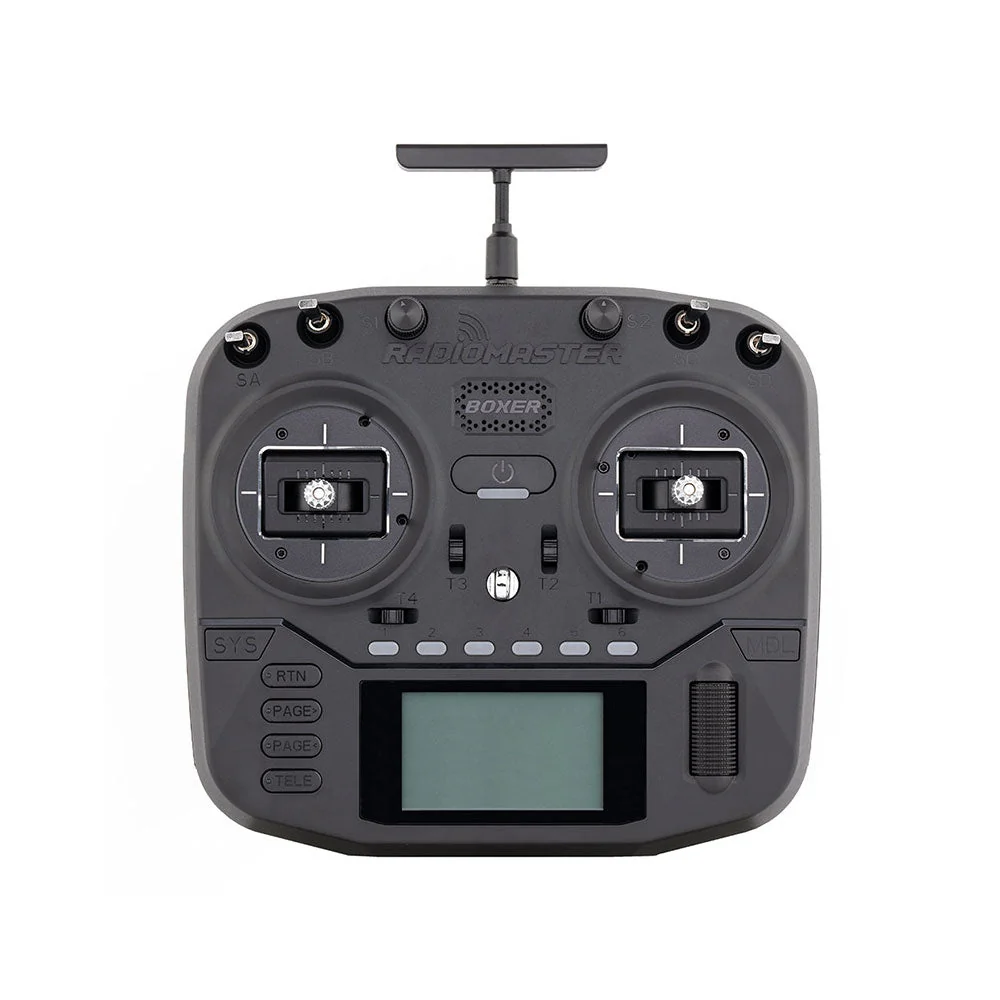
- FPV Controller (Radio Transmitter): This is non-negotiable. You must use your actual FPV radio transmitter to practice. Popular choices include the Radiomaster Zorro, Boxer, TX16S Mark II, or Jumper T-Pro. Using your actual radio ensures that the muscle memory you build directly transfers to your real drone. Connect it to your PC via a USB-C cable (often acting as a joystick) or a wireless dongle.
- PC Specifications: While simulators are generally optimized, a smooth frame rate is critical for realistic practice. You'll want a decent gaming PC with:
- CPU: Intel Core i5 (8th gen or newer) or AMD Ryzen 5 (2nd gen or newer)
- GPU: NVIDIA GeForce GTX 1060 / AMD Radeon RX 580 or better (for 1080p at 60fps)
- RAM: 8GB-16GB
- Storage: SSD is recommended for faster loading times. Lag or stuttering can severely hinder your progress and create unrealistic flight sensations.
Calibrating Your Settings for Realism
The goal is to make your simulator drone feel as close as possible to your real-world FPV drone.
- Rates and Expo: These settings dictate how your drone responds to stick inputs. Copy the exact rates and expo settings from your real drone's Betaflight (or whatever flight controller firmware you use) PID tuning tab into your simulator. This is paramount for skill transfer.
- Gravity and Drag: Most simulators allow you to adjust these. Start with the default "realistic" settings. Some pilots slightly increase gravity to make the drone feel heavier and more challenging, which can improve real-world handling.
- Camera Angle (Tilt): Match the camera angle of your real FPV drone. A higher camera tilt makes the drone faster in forward flight but harder to hover.
- Drone Type/Weight: Select a drone in the simulator that closely matches the size and weight of your real drone (e.g., 5-inch freestyle quad, 3-inch cinewhoop).
Spend some time tweaking these settings. A few minutes of calibration can save hours of frustrating, unrealistic practice.
The Progressive FPV Simulator Practice Plan: From Zero to Hero
This tiered approach ensures you build a solid foundation before tackling more complex maneuvers. How long should I practice FPV sim daily to see improvement? Aim for consistent, focused sessions, as outlined below.
Phase 1: Building Foundational Control (Beginner Drills)
This phase focuses on mastering basic stick inputs in angle mode initially, then transitioning to acro mode for these fundamental movements. The goal is precision and smoothness. What are the best FPV simulator drills for beginners?
- Stable Hovering:
- Goal: Maintain a fixed position and altitude.
- Drill: Take off, hover in place for 30 seconds. Practice small corrections with throttle, pitch, roll, and yaw. Do this facing different directions.
- Tip: Look at the drone's shadow to gauge altitude.
- Controlled Strafe:
- Goal: Move the drone smoothly in cardinal directions.
- Drill: Hover, then slowly move forward, backward, left, and right, returning to the starting point. Focus on straight lines.
- Tip: Use minimal stick inputs. Overcorrection is common.
- Gentle Turns (Yaw & Roll):
- Goal: Execute smooth turns, maintaining altitude.
- Drill: Fly a large circle or figure-eight using primarily yaw for orientation, then incorporate gentle roll for banked turns.
- Tip: Coordinate throttle with turns to avoid losing or gaining altitude.
- Navigating Simple Gates:
- Goal: Fly through a sequence of wide, open gates.
- Drill: Set up 3-5 gates in a line or a simple square. Fly through each gate smoothly.
- Tip: Focus on accuracy over speed. Look through the gate, not at it.
Phase 2: Unlocking Acro Mode Essentials (Intermediate Drills)
Once you're comfortable with basic movements, it's time to fully embrace acro mode. This is where the real fun begins and where FPV simulator skills transfer best to real-world flying.
- Controlled Forward Flight & Pitch/Roll Coordination:
- Goal: Fly straight and level at speed, making small adjustments.
- Drill: Fly a long, straight line, maintaining a consistent altitude and pitch angle. Practice gentle S-curves using roll.
- Tip: Resist the urge to constantly correct. Let the drone fly.
- Controlled Dives and Climbs:
- Goal: Manage vertical speed and recovery.
- Drill: Climb high, then dive towards a target (e.g., a specific gate), pulling up smoothly before impact. Repeat, varying dive angles.
- Tip: Throttle management is key. Cut throttle for faster dives, apply power for recovery.
- Power Loops:
- Goal: Execute a smooth, controlled loop over an obstacle.
- Drill: Fly towards a tall object (e.g., a building, tree), pitch up, roll inverted over the top, then complete the loop.
- Tip: Start with small, slow loops. Practice the inverted portion until it feels natural.
- Split-S Maneuvers:
- Goal: Rapidly change direction and altitude.
- Drill: Fly forward, roll 180 degrees (inverted), then pitch back to complete a half-loop, ending up flying in the opposite direction.
- Tip: Throttle control is crucial for a smooth descent and exit.
- Complex Gate Sequences:
- Goal: Improve precision and line management.
- Drill: Find maps with tighter, more intricate gate layouts. Practice flying them repeatedly, focusing on the most efficient line.
Phase 3: Developing Freestyle Flow & Precision (Advanced Drills)
This phase is about combining learned maneuvers into fluid sequences and exploring creative lines.
- Inverted Flying & Matty Flips:
- Goal: Fly and maneuver while upside down.
- Drill: Practice sustained inverted flight, then combine it with a roll to execute a Matty flip (an inverted power loop).
- Tip: Throttle becomes your pitch control in inverted flight; pitch becomes your throttle.
- Rolls, Flips, and Yaw Spins:
- Goal: Execute controlled aerial acrobatics.
- Drill: Practice single rolls and flips, then combine them. Add fast yaw spins.
- Tip: Maintain forward momentum through rolls and flips to avoid losing altitude.
- Exploring Creative Lines:
- Goal: Develop an eye for interesting flight paths and obstacles.
- Drill: On a freestyle map, pick a feature (e.g., a building, a bridge, a gap) and try to fly around, through, or over it in as many creative ways as possible.
- Tip: Don't be afraid to experiment. Watch videos of pro pilots for inspiration.
- Combining Tricks for Fluid Sequences:
- Goal: Link multiple maneuvers seamlessly.
- Drill: Start with simple combos (e.g., power loop into a split-S). Gradually build up to longer, more complex sequences (e.g., dive, Matty flip, roll, then another dive).
- Tip: Focus on smooth transitions between tricks.
Integrating Race Track Practice
Even if freestyle is your primary goal, integrating race track practice into your FPV simulator training schedule is highly beneficial.
- Improve Speed & Efficiency: Racing forces you to find the fastest, most efficient lines through gates and around corners.
- Cornering & Gate Accuracy: Constant practice on tracks sharpens your ability to hit gates precisely and maintain speed through turns.
- Throttle Management: Racing teaches you nuanced throttle control for acceleration, braking, and maintaining momentum.
- Spatial Awareness: Navigating complex 3D tracks enhances your spatial awareness and ability to predict drone movement.
Dedicate 15-20 minutes of your practice time a few times a week to race tracks.
Optimizing Your Practice Sessions for Rapid Improvement
Beyond just doing the drills, how you practice significantly impacts your progress.
Consistency Over Quantity: The Power of Short, Focused Sessions
One of the most common questions is, "How long should I practice FPV sim daily to see improvement?" The answer is generally 15-30 minutes of focused practice daily is more effective than longer, infrequent sessions. Consistency is key. Your brain processes and consolidates new skills during rest, so daily, shorter bursts of intense concentration yield better retention and faster skill development than marathon sessions that lead to fatigue and frustration.
Setting Goals and Tracking Progress
To make your practice meaningful, set clear goals:
- Daily Goals: "Today, I will perfectly execute 5 power loops over the red building." or "I will fly through this 10-gate track without crashing."
- Weekly Goals: "By the end of the week, I want to be able to do a clean split-S."
Utilize built-in simulator features like lap timers, leaderboards, or ghost drones. For freestyle, consider recording your sessions and reviewing them later to spot areas for improvement. Seeing tangible progress is incredibly motivating.
Analyzing Crashes and Learning from Mistakes
Don't just restart immediately after a crash. Take a moment. What went wrong?
- Did I misjudge my speed?
- Was my throttle too high/low?
- Did I overcorrect on the sticks?
- Was my camera angle too low for the maneuver?
Viewing crashes as learning opportunities, rather than failures, is a powerful mindset shift. Each crash is a data point telling you where to focus your next attempt. Many simulators have a "replay" feature; use it!
The Importance of Variety and Breaking Plateaus
If you find yourself stuck on a particular skill or feeling bored, you're likely hitting a practice plateau. To overcome it:
- Switch Maps: Try a completely different environment (e.g., from a city to a forest).
- Change Drones: Experiment with a lighter or heavier drone to feel different physics.
- Focus on a Weakness: Deliberately tackle the maneuver you dread the most.
- Take a Break: Sometimes, a day or two away from the sim can reset your brain and allow you to return with fresh eyes.
- Try New Drills: Incorporate drills from a different phase or watch pro pilots for inspiration.
Bridging the Gap: From Simulator to Real-World Flight
After countless hours in the simulator, the transition to real-world FPV can still be a bit nerve-wracking. Here’s how to make it as smooth as possible.
Gradual Transition: Line of Sight First
Even after extensive FPV sim drills and acro mode mastery, it's highly recommended to start your real-world flights with a small, durable drone (like a Tiny Whoop or a 3-inch quad) in Line of Sight (LOS) mode. This means flying the drone by looking at it directly, not through goggles. This helps build spatial awareness, understand how the drone reacts to wind and real-world elements, and get comfortable with your radio's physical feel without the added complexity of FPV goggles. It's a crucial step before putting on your FPV goggles for the first time.
Choosing Your First 'Real' Spot
The location of your first real FPV flights is critical for safety and success.
- Open and Unobstructed: Choose a large, open field, park, or a designated flying area. Avoid areas with trees, power lines, buildings, or anything you could crash into.
- Away from People and Property: Ensure you are far away from any bystanders, animals, or private property to prevent injury or damage.
- Legal Considerations: Always check local regulations regarding drone flight. Some areas have no-fly zones or require permits.
- Weather: Fly on a calm day with minimal wind. Wind significantly impacts drone handling, especially for beginners.
Safety Protocols and Pre-Flight Checks
Safety is paramount in FPV. Develop a rigorous pre-flight checklist:
- Battery Check: Ensure both your drone battery and radio battery are fully charged.
- Propeller Check: Make sure all propellers are installed correctly (spinning in the right direction) and are free from damage.
- Failsafe: Verify your failsafe is properly configured in Betaflight/ArduPilot and tested on the ground. This ensures your drone lands safely if it loses signal.
- Arming Switch: Be absolutely sure your arming switch is in the disarmed position until you are ready to fly and clear of props.
- Spotter (Optional but Recommended): Especially for your first flights, having a friend act as a spotter can provide an extra layer of safety, watching for people or hazards you might miss.
Choosing Your FPV Simulator: The Right Tool for the Job
Revisiting our simulator discussion with a focus on selection criteria for structured practice.
Top Simulator Recommendations for Structured Practice
- Velocidrone: As mentioned, its physics are top-tier for realism, making it ideal for muscle memory development that directly transfers to real flight. It offers excellent race tracks and a "freestyle flow" mode. If your primary goal is to become a competitive racer or a highly precise freestyle pilot, Velocidrone is a strong choice.
- Liftoff: Offers a great balance of realistic physics, beautiful graphics, and a vibrant community. Its diverse maps are excellent for exploring different freestyle lines, and its race tracks are well-designed. Liftoff is a fantastic all-rounder, particularly good for those who want a more immersive and visually appealing experience alongside solid physics.
- DRL Simulator: If your ambition is to fly like the pros in a high-stakes racing environment, the DRL Simulator is unparalleled. It focuses purely on racing, providing replica DRL drones and tracks, pushing your speed and precision to the limits.
- Uncrashed: While newer, Uncrashed has quickly gained a reputation for its incredibly realistic physics engine, particularly its collision detection and drone behavior after impact. Its open-world maps are perfect for creative freestyle flying and exploring new lines.
Consider trying demos if available, or watching gameplay videos to see which simulator's aesthetics and physics appeal most to you.
Controller Compatibility and Latency Considerations
Ensure your chosen FPV radio transmitter is compatible with the simulator. Most modern radios (like those from Radiomaster, Jumper, FrSky) can connect via USB as a joystick. The critical factor is latency. A low-latency connection between your radio and the simulator is essential. Any noticeable delay between your stick input and the drone's reaction on screen will create an unrealistic and frustrating experience, hindering skill transfer. Most direct USB connections are good, but ensure your PC isn't overloaded, causing input lag.
Community Support and Updates
An active developer team that provides regular updates, new maps, drones, and bug fixes is a sign of a good simulator. Furthermore, a strong community (often found on Discord, Reddit, or forums) can provide valuable tips, help with troubleshooting, and even organize virtual races, adding to the longevity and enjoyment of your simulator experience.
Frequently Asked Questions About FPV Sim Practice
How long should I practice FPV sim daily to see improvement?
Generally, 15-30 minutes of focused practice daily is more effective than longer, infrequent sessions. Consistency is key. Your brain learns best through regular, short bursts of intense concentration.
What are the best FPV simulator drills for beginners?
Start with basic hovering (forward, backward, left, right), controlled forward flight, gentle yaw and roll turns, and navigating simple, wide gates. Focus on smooth, deliberate stick movements and maintaining altitude.
Do FPV simulator skills transfer to real-world flying?
Absolutely. Simulators build crucial muscle memory, stick coordination, and understanding of flight physics, which directly translate to real FPV flight. The more realistic the simulator's physics and the closer your sim settings match your real drone, the better the transfer.
Which FPV simulator is recommended for structured practice?
Velocidrone is highly regarded for its realistic physics and excellent training features, particularly for racing and precise flight. Liftoff offers great visuals, diverse environments for freestyle, and a strong community. DRL Simulator is also excellent for competitive racing practice.
How do I overcome a practice plateau in the sim?
Try switching maps, practicing different types of drills (freestyle vs. racing), focusing on specific weaknesses, or taking a short break to reset your mind. Sometimes, watching pro pilot videos for inspiration or trying a new trick can also help break through.
Unlock Your FPV Potential Today
The journey to becoming a skilled FPV pilot is an exciting one, and your simulator is the most powerful tool in your arsenal. By following this progressive practice plan, dedicating consistent effort, and learning from every virtual flight, you'll build the confidence and mastery needed to conquer the skies. Don't wait – plug in your radio, launch your simulator, and start your FPV mastery journey today! Share your progress and favorite drills in the comments below!
Copyright-safe media generated locally by FPVLovers