FPV Failsafe Test Routine Before Flying
An evergreen FPVLovers guide focused on testing failsafe behavior before trusting a build outdoors.
The Definitive Multi-Scenario Failsafe Test Routine: Ensuring Your FPV Drone's Safe Return Every Time
Imagine the heart-stopping moment: you're soaring high, executing a perfect power loop, and suddenly, your FPV feed freezes. Your drone is out of control, a tiny speck plummeting towards the ground. This nightmare scenario is precisely why a robust FPV failsafe is not just a feature, but a non-negotiable lifeline for your drone. But simply having failsafe configured isn't enough; knowing it works when it truly matters is paramount. This definitive guide will walk you through a multi-scenario FPV failsafe test routine, ensuring your drone's emergency plan is always ready to bring it home safely.
Understanding FPV Failsafe: Your Drone's Emergency Plan
What is Failsafe and How Does It Work?
At its core, failsafe is your drone's automated emergency response system, triggered when the radio control (RC) link between your transmitter and your drone's receiver is lost or critically degraded. Think of it as a pre-programmed set of instructions that the flight controller executes when it stops receiving valid commands from your transmitter.
The signal chain typically involves your transmitter sending commands, which are received by your drone's receiver (e.g., a TBS Crossfire Nano RX, an ELRS EP1, or a FrSky R-XSR). The receiver then translates these commands into a digital protocol (like SBUS, CRSF, or ELRS) and sends them to the flight controller (FC). When this link is interrupted or the signal quality drops below a predefined threshold, the receiver stops sending valid data to the FC. The FC, recognizing this RC link loss test, then activates its failsafe mode, following the specific behaviors you've configured. It's the drone's last resort for self-preservation, kicking in when you, the pilot, can no longer provide direct input.
Why a Robust Failsafe is Critical for FPV Safety
The consequences of an unhandled signal loss can be severe, ranging from a frustrating lost model to catastrophic property damage or even potential injury to people or animals. An FPV drone without a properly configured and tested failsafe is a flyaway waiting to happen. It could drift into restricted airspace, crash into buildings, or simply disappear over the horizon, never to be seen again.
Implementing and regularly verifying your FPV failsafe setup guide is a cornerstone of FPV safety protocols. It dramatically increases your chances of lost model recovery settings activating successfully, saving you the cost of a new drone and the headache of searching for a lost one. A well-configured failsafe ensures that even when the worst happens, your drone attempts to mitigate the situation, making it a responsible and essential part of every FPV pilot's practice.
Common Failsafe Behaviors: Disarm, Land, or Hover?
When a failsafe event occurs, your drone can be configured to perform several actions. Understanding these options is crucial for making the right choice for your flying style and environment:
-
Immediate Disarm (Drop): This is the simplest and often the default behavior. The drone immediately cuts power to the motors and drops out of the sky.
- Pros: Quickest way to prevent a flyaway, minimizes potential damage from continued uncontrolled flight.
- Cons: Drone will fall from its current altitude, potentially causing significant damage to the drone or anything below it, especially over hard surfaces or populated areas.
- Best for: Flying over soft ground, water, or unpopulated areas where a controlled descent isn't feasible or necessary.
-
Controlled Landing (Land): The drone attempts a gentle, controlled descent and disarms upon reaching the ground. This often involves reducing throttle gradually while maintaining level flight.
- Pros: Minimizes impact damage, more predictable than a sudden drop.
- Cons: Requires the drone to maintain stability without active pilot input, which can be challenging in windy conditions or if the drone is already unstable. It also doesn't prevent horizontal drift.
- Best for: Flying in open, relatively calm environments where a gentle landing is preferred.
-
Attempt to Hover (Hover): The drone tries to maintain its current position and altitude, often using its barometer (if available) to hold height.
- Pros: Can buy you time to re-establish the link, prevents immediate impact.
- Cons: Can still drift significantly with wind, consumes battery quickly, and if the link isn't re-established, it will eventually enter a Stage 2 failsafe (usually disarm or land).
- Best for: Short-range signal glitches in open areas, giving you a chance to recover.
Many flight controllers, like Betaflight, allow for a two-stage failsafe. Stage 1 might be "Hover" for a short period, and if the link isn't re-established, Stage 2 could be "Land" or "Drop." This provides a more nuanced response to signal loss.
Pre-Test Preparations: Setting the Stage for Success
Before you even think about triggering a failsafe, thorough preparation is key to a safe and effective FPV failsafe test routine.
Essential Safety Precautions Before Any Test
Safety is the absolute priority. Always remove your propellers before performing any failsafe test indoors or when the drone is within reach. Even a momentary spin can cause serious injury. If you're testing outdoors with props on (for a landing test, for example), ensure you are in a completely clear, open area, far away from people, animals, and property. A spotter can be invaluable to keep an eye on the drone and its surroundings, especially during range tests. Always be aware of the risks involved and never compromise on safety.
Verifying Your Failsafe Settings in Betaflight/Flight Controller
Your flight controller's configurator is where you define your drone's emergency plan. For Betaflight users, navigate to the "Failsafe" tab. Here, you'll find critical settings:
- Failsafe Mode: Choose between "Drop" (immediate disarm), "Land," or "Hover."
- Failsafe Stage 2: If you select "Hover" for Stage 1, you'll configure Stage 2 (what happens after a set delay if the link isn't restored). This is typically "Drop" or "Land."
- Failsafe Delay: How long the drone waits in Stage 1 before moving to Stage 2.
- Throttle/Pitch/Roll/Yaw Settings: Ensure these are configured for "Hold" or "Set" to specific neutral values, or "Auto" for Betaflight to handle it. For "Land" or "Hover" modes, the FC will use internal values, but for "Drop," ensuring throttle drops to minimum is crucial.
- Receiver Protocol: Confirm your receiver protocol (e.g., SBUS, CRSF, ELRS) is correctly selected in the "Receiver" tab.
It's also a good idea to check the "Receiver" tab and observe the channel values. When you turn off your transmitter, these values should ideally drop to zero or default positions, indicating a loss of signal to the FC. This is a quick visual check that your FC is indeed detecting the link loss.
Battery Health and Environmental Considerations
Ensure both your drone's LiPo battery and your transmitter's battery are fully charged. A low transmitter battery could lead to an unexpected failsafe during testing, and a low drone battery could prematurely end a controlled landing attempt.
For any outdoor range testing or actual flight tests of failsafe behavior, choose an appropriate, open outdoor area. This means a large field, free from trees, power lines, buildings, or any potential obstacles. The area should also be clear of people or animals to prevent accidents. Ideally, choose a day with minimal wind, as wind can significantly affect a drone's ability to perform a controlled landing during failsafe without active pilot input.
The Definitive Failsafe Test Routine (Betaflight & General)
Now, let's get to the practical steps of verifying your failsafe. Remember, props off for indoor tests, and extreme caution for outdoor tests!
Step-by-Step Basic Failsafe Trigger and Observation
This is the fundamental RC link loss test you should perform regularly.
- Remove Propellers: This cannot be stressed enough.
- Power Up: Connect your drone's battery and power on your FPV goggles and transmitter.
- Arm the Drone: Arm your drone as you normally would. The motors should spin (without props, of course).
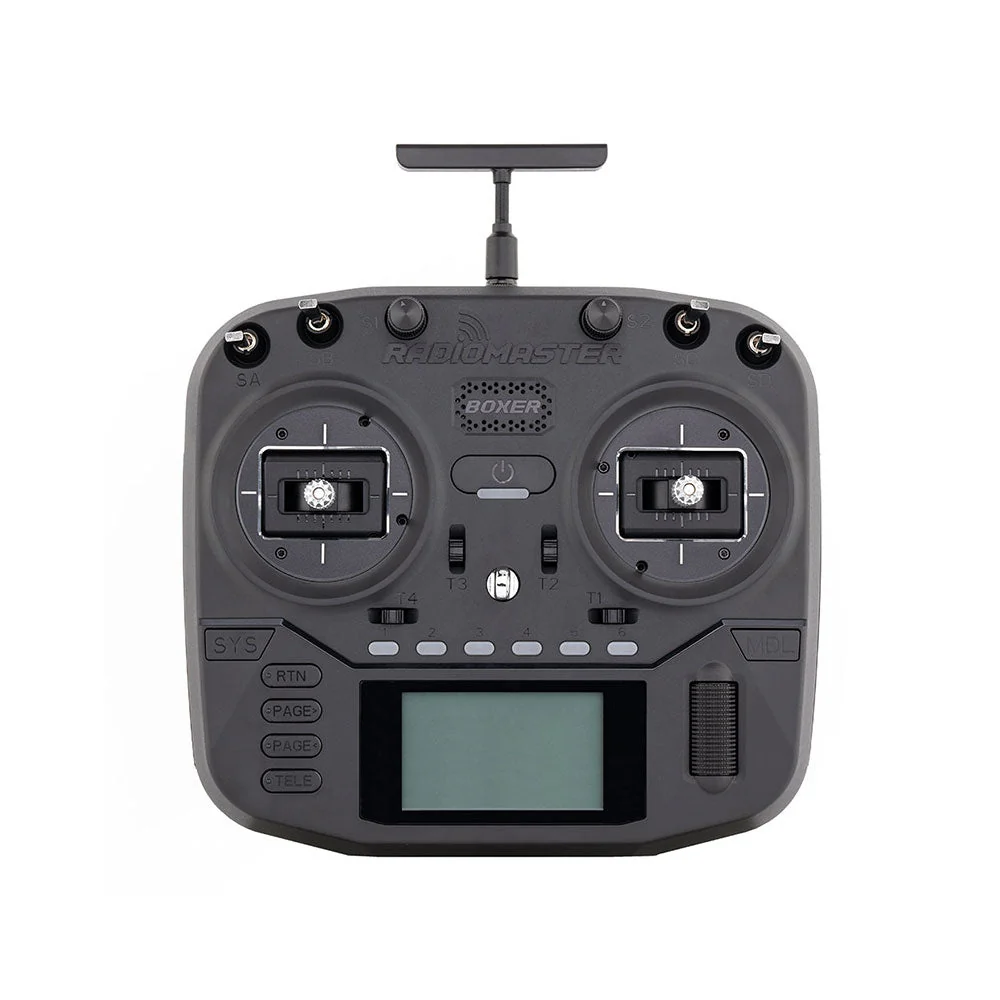
- Turn Off Transmitter: While the drone is armed, switch off your FPV transmitter.
- Observe Drone's Response:
- Immediate Disarm (Drop): The motors should stop spinning instantly, and the drone's LEDs might flash a specific pattern.
- Hover/Land: The motors might continue to spin at a low RPM, indicating an attempt to hover or land. This is where Betaflight's Stage 2 settings come into play.
- Verify in Configurator: Connect your drone to Betaflight Configurator (or your FC's equivalent). Go to the "Receiver" tab. When your transmitter is off, you should see the channel values drop to their failsafe defaults (often 1000 or 1500 depending on the setting). Also, check the "Modes" tab; the "Failsafe" mode should become active. Look at the OSD for a "Failsafe" warning if you have it configured.
- Reconnect: Turn your transmitter back on. The drone should re-establish the link, and you should be able to arm it again (after disarming it first, if it was still armed).
Repeat this basic FPV failsafe test routine several times to ensure consistency.
Advanced Failsafe Scenarios: Partial Signal Loss & Range Test
A basic test confirms the FC's response to complete signal loss. But what about a weak signal?
-
Simulating Partial Signal Loss (Props Off!):
- With props off, arm your drone.
- Walk away from the drone with your transmitter, slowly increasing the distance. Observe the RSSI (Received Signal Strength Indicator) or LQ (Link Quality) in your OSD or goggles.
- As you move further, the signal will degrade. At some point, the RSSI/LQ will drop below the threshold you've set for failsafe activation. The drone should then execute its failsafe procedure.
- This helps verify that your failsafe threshold (often set in the receiver or FC) is appropriate.
-
Controlled Range Test (Props On, Extreme Caution!):
- This test should only be performed in a very large, open, unpopulated area. Have a spotter.
- Arm the drone and fly it out to a known distance, observing the RSSI/LQ.
- Carefully fly beyond your usual comfort range, pushing the limits of your radio link.
- The goal is to intentionally trigger failsafe at the edge of your link's reliability. Observe if the drone performs its configured landing or drop.
- Immediately after failsafe, try to re-establish the link by flying closer or turning your transmitter off and on.
- Pilot Tip: Don't do this with your primary, most expensive drone first. Use a cheaper, expendable quad if possible, or fly very low to the ground during the test.
Different radio systems handle signal degradation differently. For instance, TBS Crossfire and ELRS are known for their robust links and graceful degradation, often giving you warnings (like "CRITICAL" or "LOW LQ") before a complete failsafe. Older protocols might drop more abruptly.
Confirming Failsafe Behavior: Logs and Visual Cues
Beyond simply watching the drone, confirm its behavior through data:
- Flight Controller Logs: After a failsafe test, download the blackbox logs from your FC. Look for entries indicating "Failsafe Activated" or similar events. This provides definitive proof of when and how the failsafe was triggered.
- LED Indicators: Many FCs and receivers have LEDs that change color or blink patterns during failsafe. Consult your specific hardware manuals for these visual cues.
- OSD Messages: Ensure your OSD displays a "Failsafe" warning when the event occurs. This is critical for real-world flying.
- Disarm Tones: Listen for the distinct disarm tones from your motors (if configured) when the drone enters failsafe and disarms.
Visual confirmation, combined with data from logs and the configurator, provides a comprehensive verification of your FPV failsafe test routine.
Radio-Specific Failsafe Verification: Crossfire, ELRS & More
While the general principles remain the same, specific radio systems have nuances that require attention.
Testing Failsafe with TBS Crossfire
TBS Crossfire is renowned for its long-range capabilities and robust link. The Crossfire failsafe procedure is integrated with the flight controller's failsafe settings.
- Failsafe Mode in Crossfire: In your Crossfire module's menu (on your transmitter), navigate to "Failsafe." You'll typically have options like "No Pulses" or "Hold."
- No Pulses: This is generally recommended. When the link is lost, the Crossfire receiver stops sending any pulses to the flight controller. The FC then detects this complete signal loss and initiates its own Betaflight failsafe testing.
- Hold: The receiver holds the last valid stick positions. This is generally not recommended for FPV drones as it can lead to flyaways if the last command was to accelerate.
- Dynamic Power: Crossfire's dynamic power feature will automatically increase power output as you fly further or signal quality degrades. While this helps prevent failsafes, it's still crucial to test at range.
- Link Quality (LQ): Monitor your LQ in the OSD. Crossfire gives clear warnings (e.g., "CRITICAL LQ") as the link degrades. Failsafe should trigger before LQ reaches 0.
- Test: Perform the basic "turn off TX" test and range test. Observe the "Failsafe" message in your OSD and ensure the drone reacts as configured in Betaflight.
ELRS Failsafe Verification: Ensuring Link Integrity
ExpressLRS (ELRS) is known for its incredible range, low latency, and robust link. ELRS failsafe verification is straightforward due to its clear link state.
- Failsafe Packet vs. No Pulses: Similar to Crossfire, ELRS receivers can be configured to send a "Failsafe Packet" (a specific set of predefined channel values) or "No Pulses" to the flight controller upon link loss. "No Pulses" is often preferred as it lets the flight controller handle the failsafe entirely.
- Link Quality (LQ): ELRS provides very precise LQ metrics (often displayed as
LQIorRssi). You'll typically see a gradual drop in LQ before a failsafe occurs. - Test: The primary ELRS failsafe test involves powering off your transmitter while the drone is armed (props off!). The ELRS receiver will immediately stop sending valid data (or send failsafe packets) to the FC, triggering the Betaflight failsafe. Observe the drone's behavior and verify in the configurator.
- Binding Phrase: Ensure your ELRS receiver is correctly bound to your transmitter using the binding phrase. An incorrect bind can lead to unexpected link issues.
Other Radio Systems: General Principles and Considerations
For other popular radio systems like FrSky (ACCST/ACCESS), Spektrum, Futaba, etc., the core principle of verifying RC link loss test and observing programmed behavior remains consistent.
- Receiver Failsafe Settings: Many receivers have their own failsafe settings (e.g., "No Pulses," "Hold," or "Custom" channel values). Ensure these are configured to either send "No Pulses" to the flight controller (allowing the FC to manage failsafe entirely) or to send specific, safe throttle values (e.g., minimum throttle) if your FC doesn't handle failsafe.
- Compatibility: Always ensure your receiver protocol (e.g., FrSky SBUS) is correctly selected in your flight controller's "Receiver" tab.
- Firmware: Keep both your transmitter and receiver firmware updated to ensure optimal performance and compatibility.
While specific menu options may differ, the general approach of triggering a link loss and observing the drone's response, then verifying it in the configurator, applies to all systems.
Troubleshooting & Common Failsafe Mistakes
Even experienced pilots can encounter issues. Knowing how to troubleshoot and avoid common pitfalls is crucial.
Identifying and Fixing Failsafe Issues
If your drone doesn't behave as expected during an FPV failsafe test routine, here's a systematic approach to failsafe troubleshooting FPV:
-
No Failsafe Activation:
- Check Receiver Tab: In your FC configurator, with your transmitter off, do the channel values drop to zero/default? If not, your receiver might be holding values (check receiver's failsafe settings for "Hold" vs. "No Pulses").
- Receiver Wiring: Double-check that your receiver is correctly wired to the flight controller (signal, ground, power).
- Receiver Protocol: Is the correct serial receiver provider (e.g., SBUS, CRSF) selected in the "Receiver" tab?
- UART Configuration: Is the correct UART configured for Serial RX in the "Ports" tab?
- Binding: Is your receiver properly bound to your transmitter?
- Firmware: Are your FC and receiver firmware up to date?
-
Incorrect Failsafe Behavior:
- Betaflight Failsafe Tab: Review all settings in the "Failsafe" tab. Are the Failsafe Mode, Stage 2, and delays configured as intended?
- Channel Mapping: Check your channel mapping in the "Receiver" tab. Ensure AETR (Aileron, Elevator, Throttle, Rudder) matches your transmitter. Incorrect mapping can lead to unexpected behavior during failsafe.
- Arming Conditions: Ensure there are no other arming restrictions preventing the drone from disarming (e.g., minimum throttle not low enough).
Common Configuration Errors to Avoid
- Forgetting to Save Settings: Always click "Save and Reboot" after making changes in your flight controller configurator.
- Misunderstanding "Hold" vs. "No Pulses": On your receiver, "Hold" will maintain the last known stick positions, which is dangerous. Always aim for "No Pulses" or a "Failsafe Packet" that signals the FC to take over.
- Testing with Props On: This is the most common and dangerous mistake.
- Incorrect Channel Assignments: Ensure your RC channels correspond correctly to Aileron, Elevator, Throttle, and Rudder in the Betaflight "Receiver" tab.
- Ignoring RSSI/LQ: Not monitoring your signal strength can lead to unexpected failsafes in flight.
- Assuming it Works: Never assume your failsafe is configured correctly without a physical FPV failsafe test routine.
The Importance of Regular and Situational Testing
Failsafe isn't a "set it and forget it" feature. Your drone's setup changes over time, as do firmware versions.
- After Firmware Updates: Always re-test failsafe after updating Betaflight or receiver firmware, as settings can sometimes be reset or interpreted differently.
- After Component Changes: If you replace your receiver, flight controller, or even your transmitter, perform a full FPV failsafe test routine.
- After Crashes: A hard crash can sometimes damage wiring or components, potentially affecting your radio link. Test failsafe.
- Before Significant Flights: Planning a long-range flight, a flight over water, or an event? Perform a comprehensive failsafe check beforehand.
Integrating Failsafe Testing into Your FPV Workflow
Making failsafe testing a habit contributes significantly to safer flying.
Making Failsafe Part of Your Pre-Flight Checklist
While a full range test isn't feasible before every flight, a quick failsafe check can be integrated into your routine FPV pre-flight checklist:
- Props Off: Always, always.
- Power Up Drone & TX.
- Arm Drone Briefly.
- Turn Off TX: Observe the drone disarm or enter its failsafe state.
- Turn On TX: Re-establish link.
- Disarm Drone.
This quick check confirms that the FC is detecting a link loss and initiating the failsafe. It takes mere seconds and can prevent major headaches.
How Often Should You Test Your Failsafe?
- Comprehensive Test: A full, multi-scenario FPV failsafe test routine (including a range test if safe) should be performed at least once a month, or as noted above (after updates, component changes, crashes).
- Quick Check: The "power off TX" check should be part of your pre-flight checklist for every significant flying session or location change.
The more frequently you verify your drone failsafe setup, the more confident you'll be in its reliability when it truly matters.
Documenting Your Failsafe Settings and Test Results
Consider keeping a simple record. This could be a text file on your computer or a note in your phone. Document:
- Drone Name/Build: (e.g., "5-inch Apex, Betaflight 4.4")
- Receiver Type: (e.g., "ELRS EP1")
- Failsafe Mode: (e.g., "Land, Stage 2 Drop after 3s")
- Date of Last Test:
- Test Results: (e.g., "TX off, disarmed instantly. Range test at 800m, LQ 10%, initiated gentle land. OK.")
This documentation is invaluable for troubleshooting, ensuring consistency across multiple builds, and quickly restoring settings after a full wipe or new FC installation.
FPV Failsafe Test Routine FAQ
What is the correct way to test FPV failsafe?
The correct way involves removing propellers, powering on the drone and transmitter, arming the drone (briefly), then powering off the transmitter to observe the drone's pre-programmed failsafe behavior (disarm, land, or hover) and confirming it in the configurator or OSD. For a comprehensive test, include a controlled range test in a safe, open area.
How do I configure and verify failsafe in Betaflight/ArduPilot?
In Betaflight, navigate to the Failsafe tab, select your desired mode (e.g., 'Drop', 'Land', 'Hover'), and set Stage 2 parameters. Verify by observing the receiver tab when the transmitter is off, ensuring channels drop to configured values, and performing a physical test with props off. For ArduPilot, configurations are typically done via Mission Planner, setting parameters like FS_THR_ENABLE, FS_GCS_ENABLE, and FS_CRASH_DETECT_ENABLE, then verifying through flight logs and physical tests.
What are common FPV failsafe testing mistakes to avoid?
Common mistakes include testing with propellers on, not checking all failsafe stages, forgetting to save settings, testing in an unsafe environment, or assuming it works without physical verification. Always double-check your drone failsafe setup and prioritize safety.
How often should I perform a failsafe test on my FPV drone?
A full FPV failsafe test routine should be performed after any firmware update, component change, significant crash, or at least monthly. A quick 'power off TX' check can be part of your pre-flight checklist for every session.
What should my FPV drone do during a failsafe event?
During a failsafe event, your FPV drone should execute its pre-configured behavior: either immediately disarm, attempt a controlled landing, or try to hover in place, depending on your drone failsafe setup and flight controller settings. This is crucial for lost model recovery settings and minimizing damage.
Fly with Confidence: Master Your FPV Failsafe Test Routine
Mastering your FPV failsafe test routine is more than just a technical exercise; it's an investment in the longevity of your drone and the safety of your flying environment. By diligently following this multi-scenario guide, you transform a potential disaster into a manageable incident, ensuring your FPV drone's safe return every time. Don't leave it to chance—make failsafe testing a cornerstone of your FPV practice.
Implement this routine today, share your own failsafe tips with the community, and fly with the ultimate confidence that your drone has a reliable emergency plan.
Implement this definitive FPV failsafe test routine today and ensure your drone's safety! Share your testing experiences in the comments below.
Copyright-safe media generated locally by FPVLovers