Acro Stick Control Drills for FPV Beginners
An evergreen FPVLovers guide focused on building acro control before risky outdoor flights.
Acro Stick Control Drills for FPV Beginners
Master Your Sticks: The Ultimate FPV Acro Control Drill Guide
Are you hitting a wall with your FPV freestyle? Do your maneuvers lack the precision and flow you see in top pilots? The secret isn't just more 'stick time,' it's 'smart stick time.' Mastering FPV acro stick control is the bedrock of advanced flying, transforming your drone from a wild beast into an extension of your will. This comprehensive guide will equip you with a progressive routine of FPV acro stick control drills, designed to build unshakeable muscle memory, refine your precision, and unlock your true potential in the skies – whether in a simulator or with your real quad.
The Unseen Advantage: Why FPV Acro Drills Are Non-Negotiable
Many pilots jump straight into trying complex tricks, only to find themselves frustrated by inconsistent results and frequent crashes. The truth is, every spectacular freestyle line is built upon a foundation of precise, subconscious stick movements. This is where dedicated acro drills come into play.
Cultivating Instinctive Muscle Memory for Fluid Control
Think about driving a car or playing a musical instrument; you don't consciously think about every single input. FPV flying, especially acro, demands the same level of instinctive response. Drills help you develop muscle memory, allowing your hands to execute complex sequences without conscious thought. This frees up your mental bandwidth to focus on line choice, obstacle avoidance, and creative expression, rather than just keeping the quad in the air. When you can instinctively adjust throttle to maintain altitude during a roll or apply precise yaw with your roll for a coordinated turn, your flying becomes effortlessly fluid.
Deconstructing Complex Freestyle Maneuvers into Core Movements
Every intricate FPV trick, from a smooth Split-S to a mind-bending Matty Flip, is a combination of fundamental stick inputs. Drills allow you to isolate and perfect these core movements. Instead of seeing a Power Loop as one daunting maneuver, you learn to break it down into a precise throttle punch, a controlled pitch input, and a recovery. By mastering each component individually, you can then seamlessly weave them together, making seemingly impossible tricks achievable and consistent. This systematic approach demystifies advanced flying.
Accelerating Your Learning Curve and Boosting Confidence
Crashing a real quad is expensive and time-consuming. Simulators, combined with a structured drill routine, offer a risk-free environment to push your limits. You can crash hundreds of times, instantly reset, and try again, solidifying good habits without the financial or logistical burden. This accelerated practice translates directly to faster real-world improvement. As you consistently nail drills in the simulator, you build confidence that directly transfers to your actual flights, empowering you to attempt new maneuvers with greater assurance and precision.
Your Training Ground: Essential Setup for Effective Practice
Before diving into the drills, ensure your training environment is optimized for maximum learning and enjoyment.
Selecting the Optimal FPV Simulator for Your Needs
A high-quality FPV simulator is your most valuable training tool. While there are many options, some stand out for their physics accuracy and training features:
- VelociDrone: Often praised for its realistic physics, especially for racing and precise acro. It has a good variety of tracks and training modes.
- Liftoff: Excellent graphics and a strong community, offering a wide range of drones, parts, and maps. Its physics are very good, and it's highly customizable.
- DRL Simulator: While geared towards racing, its physics are solid, and it offers structured training challenges that are great for stick precision.
- Uncrashed: Known for its stunning environments and excellent physics, especially for freestyle. It offers a very immersive experience.
Pro Tip: Try demos if available. The "best" simulator often comes down to personal preference for physics feel and environment. Ensure your computer can run your chosen simulator smoothly for the best experience.
Calibrating Your FPV Controller for Pinpoint Precision
Your FPV controller is the direct link between your intentions and your drone's movements. A well-calibrated and comfortable controller is paramount.
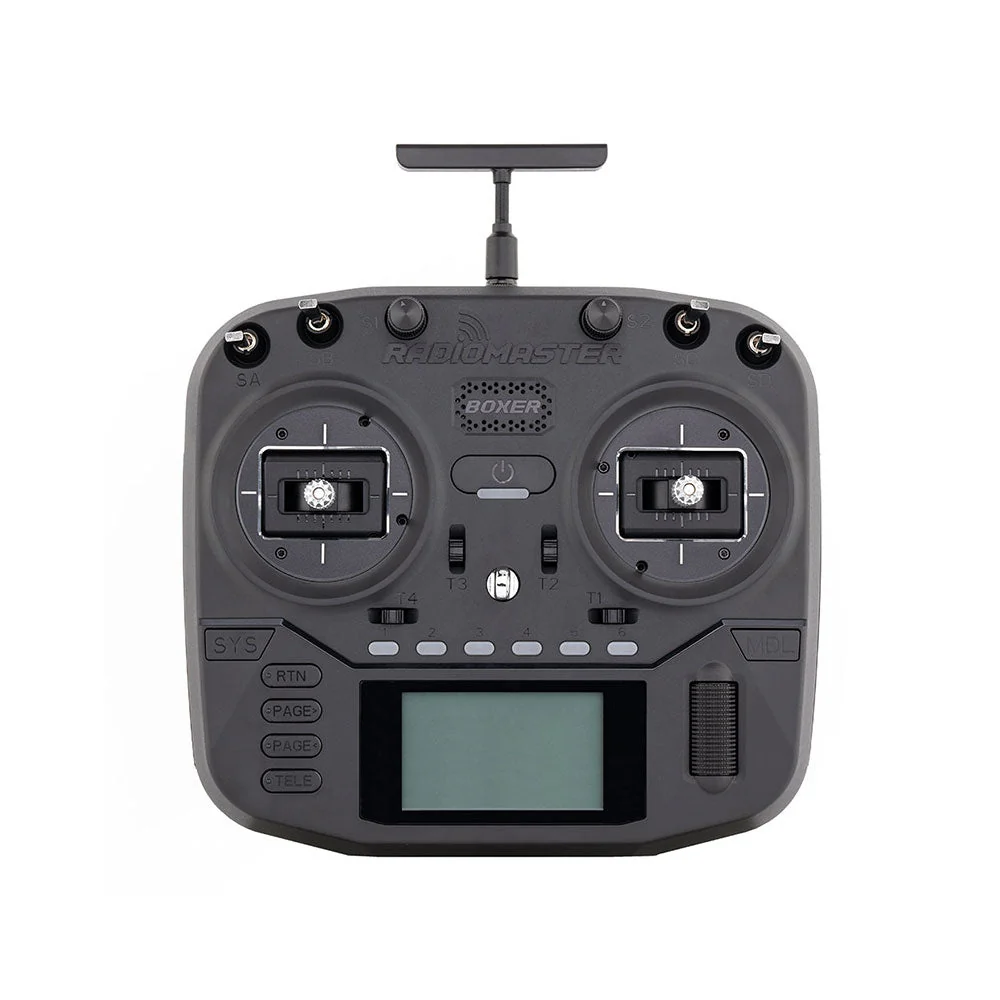
- Gimbal Tension: Most modern controllers allow you to adjust stick tension. Experiment to find a tension that feels comfortable and precise for you. Too loose, and you might overcorrect; too stiff, and you might fatigue. Popular controllers like the Radiomaster Zorro, TX16S, and TBS Tango 2 offer excellent gimbals (often Hall effect sensors for durability and precision) with adjustable tension.
- Rates and Expo: In Betaflight (or your flight controller firmware), your rates determine how sensitive your drone is to stick input. For drills, it's often best to use rates similar to what you'd use for freestyle.
- Rates: Higher rates mean faster rotation. Start with moderate rates (e.g., 700-800 deg/s for roll/pitch, 500-600 deg/s for yaw) and adjust as you gain precision.
- Expo: Exponential curve softens the stick input around the center, making small adjustments easier. A small amount of expo (0.10-0.20) is common and can help with precision, but too much can make the sticks feel "dead" in the center.
- Stick Mode: Most FPV pilots use Mode 2 (throttle and yaw on the left stick, pitch and roll on the right). Consistency is key here.
Practical Tip: Spend time in the Betaflight configurator and your simulator's controller settings. Make sure your stick calibration is accurate and that your chosen rates and expo feel natural and responsive.
Crafting a Sustainable and Progressive Practice Routine
Consistency trumps intensity. Aim for regular, focused sessions rather than infrequent marathon ones.
- Duration: 15-30 minutes daily is ideal. Even 10 minutes a day is more effective than an hour once a week.
- Structure: Start each session with warm-up drills (foundational), move to your target intermediate/advanced drills, and finish with a few minutes of free flying to apply your new skills.
- Progression: Don't rush. Master each drill before moving to the next. Focus on smoothness and consistency over speed or difficulty.
- Logging: Consider keeping a simple log of what drills you practiced and how well you performed. This helps track progress and identifies areas needing more attention.
Foundational Stick Control: Mastering the Basics
These drills are the building blocks. Don't underestimate their importance, even if you're an intermediate pilot. Returning to these regularly refines your core control.
Isolated Axis Drills: Pitch, Roll, Yaw, and Throttle Control
The goal here is to isolate each stick axis and achieve smooth, controlled movement without influencing other axes.
- Throttle Holds: Hover at a specific altitude (e.g., eye level, tree height) and maintain it perfectly. Practice small, precise throttle adjustments to counteract gravity and propwash. Fly straight lines while maintaining a constant throttle.
- Pitch Drills: Fly perfectly straight forward, then perfectly straight backward, using only pitch. Focus on keeping your roll and yaw sticks centered. Practice smooth, consistent pitch changes for acceleration and deceleration.
- Roll Drills: Fly perfectly straight sideways (left and right), using only roll. Again, keep pitch and yaw centered. Focus on smooth, level flight without gaining or losing altitude.
- Yaw Drills: Hover in place and perform perfectly flat, consistent rotations (clockwise and counter-clockwise) using only yaw. Try to keep your quad at the same altitude and position while spinning.
Practical Tip: Use grid lines or specific objects in your simulator environment to help you visualize straight lines and consistent movements.
The Art of Smooth Circles, Squares, and Figure-8s
These drills combine multiple axes in a coordinated fashion, introducing the concept of smooth transitions.
- Circles: Fly perfect circles, both clockwise and counter-clockwise, at a constant altitude and speed. Focus on blending roll and yaw inputs for a smooth arc. Start with large circles, then try to make them smaller and tighter.
- Squares: Fly a perfect square path, stopping precisely at each corner, changing direction, and continuing. This requires precise pitch, roll, and yaw inputs for sharp, controlled turns.
- Figure-8s: Combine two circles into a continuous figure-8 pattern. This requires smooth transitions at the intersection point, reversing your roll and yaw inputs gracefully. Practice both horizontal and vertical figure-8s (the latter introduces more complex throttle management).
Practical Tip: If your circles are wobbly, focus on consistent stick pressure rather than jerky movements. Think of painting the shape in the air.
Mastering Altitude Holds and Controlled Descents
Maintaining altitude is fundamental.
- Precision Altitude Holds: Hover at a fixed point, trying to minimize any vertical drift. Imagine a small box you need to stay within.
- Controlled Descents: Practice smooth, controlled descents to a specific landing spot. Avoid "punching out" at the last second or dropping too fast. Learn to manage propwash as you descend into your own turbulence, requiring subtle throttle adjustments.
- Touch and Go: Gently touch down on a specific spot, then immediately take off again smoothly, without bouncing or drifting.
Intermediate Maneuvers: Weaving Controls Together for Flow
Once the foundational drills feel natural, it's time to combine them into more complex, flowing movements.
Seamless Flips and Rolls: Entry, Execution, and Exit Precision
Flips and rolls are core freestyle elements. Focus on clean, consistent execution.
- Basic Flips (Pitch): Perform a full forward flip (pitch up), then a full backward flip (pitch down). Focus on a smooth, consistent stick input, neutralizing the stick precisely at 360 degrees, and managing throttle to maintain altitude. The goal is to finish exactly where you started, facing the same direction, without drifting.
- Basic Rolls (Roll): Similar to flips, perform full left and right rolls. Focus on a clean roll, neutralizing the stick, and maintaining altitude and heading.
- Precision Flips/Rolls: Practice performing these maneuvers through a specific gap or over an obstacle. This adds a layer of precision and timing.
Practical Tip: Don't just slam the stick. Apply a smooth, full input, then smoothly return to center. The timing of neutralizing the stick is critical for a clean 360-degree rotation.
Precision Power Loops and Split-S Drills
These classic maneuvers combine pitch, roll, and throttle in dynamic ways.
- Power Loops: Start flying forward, punch throttle, smoothly pitch up and over, then recover level flight.
- Drill: Focus on the arc. Maintain a consistent arc, avoiding flat spots or jerky movements. Practice varying the height and speed of the loop.
- Split-S: A half-roll followed by a half-loop (pitch down) to reverse direction and lose altitude.
- Drill: Focus on the smooth transition from the roll to the pitch. The key is coordinating the roll input to get inverted, then smoothly pitching down while managing throttle to control the descent and arc.
Practical Tip: For both, the throttle management is key. For Power Loops, a strong initial punch, then backing off slightly over the top, then punching again for recovery. For Split-S, reducing throttle as you pitch down to control speed.
Coordinated Turns and Orbits for Dynamic Movement
Moving beyond simple yaw turns, coordinated turns use roll and yaw together for smoother, faster changes in direction.
- Coordinated Turns: Fly forward, then initiate a turn by smoothly applying both roll and yaw in the same direction. The goal is to keep the quad's nose pointed along the arc of the turn, avoiding sideslip or "washing out."
- Drill: Practice a continuous slalom course, weaving left and right with coordinated turns.
- Orbits: Fly perfect circles around a central object (e.g., a tree, a tower) while keeping the camera pointed at the object. This requires constant, precise adjustments of roll, yaw, and throttle.
- Drill: Start with large orbits, then try to tighten them up. Experiment with varying speeds and altitudes while maintaining focus on the central object.
Practical Tip: The amount of yaw needed in a coordinated turn depends on your speed and desired turn radius. It's a feel thing that comes with practice.
Advanced Precision: Elevating Your Freestyle Game
These drills push your control limits and prepare you for truly impressive freestyle.
Navigating Gaps and Obstacles with Finesse and Accuracy
Flying through small spaces demands extreme precision.
- Gate Practice: Set up virtual gates or use natural gaps in the simulator. Fly through them from various angles and speeds.
- Drill: Start with wide gates, then gradually narrow them. Practice flying through at speed, then slowing down for a precise entry and exit.
- Proximity Flying: Practice flying very close to objects (trees, buildings) without touching them. This builds confidence and fine-tunes your depth perception.
- Drill: Trace the outlines of buildings, or weave through a dense forest in the simulator.
Practical Tip: Focus on looking through the gap, not at the gap. Your eyes should be on your exit point, not the immediate obstacle.
Preparing for Inverted Flight and Advanced Acro Techniques
Inverted flight is a gateway to many advanced freestyle tricks.
- Inverted Hover: The foundational inverted drill. Flip your quad upside down and try to hover in place. This requires reversing your pitch and throttle intuition.
- Explanation: When inverted, pushing the pitch stick forward makes the quad go backward, and pulling back makes it go forward. Throttle still controls altitude, but the response feels different.
- Inverted Forward Flight: Once you can hover, try flying perfectly straight forward while inverted.
- Half-Flips to Inverted: Practice flipping 180 degrees to get inverted, flying for a moment, then flipping back 180 degrees to upright.
Practical Tip: Start slow and be patient. Inverted flight feels completely alien at first. Focus on small, controlled inputs.
Developing Signature Freestyle Lines and Creative Flow
Drills aren't just about repetition; they're about building a vocabulary for creative expression.
- Combo Drills: Start linking simple maneuvers together. For example, a roll into a Split-S, or a Power Loop into a coordinated turn.
- Goal: Focus on smooth transitions between tricks, making them feel like one continuous movement.
- Line Exploration: In a simulator, pick an interesting area and try to fly a continuous, flowing line that incorporates several tricks and navigates obstacles. Don't be afraid to experiment and crash.
- Challenge: Try to replicate a line you saw a pro pilot fly, breaking it down into its component parts.
Beyond the Simulator: Applying Drills to Real Flight
The simulator is a powerful tool, but the ultimate goal is to translate those skills to the real world.
Bridging the Gap: Seamless Simulator to Real-World Translation
While simulators are highly realistic, real-world flying introduces factors like wind, actual gravity, propwash feedback, and the psychological element of risk.
- Start Slow: When you first take your improved skills to the field, start in an open, safe area. Don't immediately attempt your most advanced simulator tricks.
- Feel the Physics: Pay attention to how your quad reacts to wind, how propwash affects it differently, and the subtle feedback you get from the motors and air.
- Gradual Progression: Re-practice your foundational and intermediate drills in the real world first. Once those feel solid, gradually introduce more complex maneuvers.
Practical Tip: Your first real-world flights after a simulator grind might feel a bit different. Give yourself time to adjust to the nuances of actual physics.
Analyzing Your Flight Data and Identifying Areas for Improvement
Top pilots don't just fly; they analyze.
- DVR Review: Record all your real-world flights (and simulator sessions if possible). Watch your footage critically. Where did you drift? Where was your stick input jerky? What could have been smoother?
- Blackbox Logs (Betaflight): For advanced analysis, use Betaflight's blackbox feature. This records detailed flight data, including stick inputs, motor outputs, and PID errors. Analyzing these logs can reveal exactly what's happening internally and help you fine-tune your rates, PIDs, and identify specific control input issues. For example, if you see motor outputs maxing out during a certain maneuver, it might indicate you're pushing the quad harder than its current tune or power can handle.
- Pilot Collaboration: Fly with friends and review each other's footage. An outside perspective can often spot issues you might miss.
Sustaining Progress and Preventing Burnout Through Varied Practice
Mastery is a marathon, not a sprint.
- Mix it Up: Don't just do the same drills every day. Rotate through different foundational, intermediate, and advanced exercises.
- Set Small Goals: Instead of "master flying," aim for "perfect my Split-S entry" this week. Achievable goals keep motivation high.
- Free Fly for Fun: Always dedicate some time in each session, especially in the simulator, to just fly freestyle without specific goals. This keeps the joy in flying and allows your subconscious to integrate new skills.
- New Maps/Challenges: Explore new simulator maps or try community-created challenges to keep things fresh.
Frequently Asked Questions About FPV Acro Drills
How often should I practice FPV acro stick control drills?
Consistency is key. Aim for 15-30 minutes daily, or at least 3-4 times a week. Shorter, focused sessions are more effective than infrequent, long ones for building muscle memory and preventing mental fatigue. Regular practice reinforces the neural pathways needed for instinctive control.
Are FPV simulators truly effective for real-world improvement?
Absolutely. Simulators are invaluable for building muscle memory, refining stick precision, and learning new maneuvers without the risk of damaging real hardware. They are the most efficient way to get 'stick time,' experiment with different rates, and internalize complex flight dynamics before taking them to the field. Many top pilots attribute a significant portion of their skill development to simulator practice.
What's the best way to track my progress and identify weaknesses?
Record your simulator and real-world flights using a DVR or screen recording software. Reviewing footage allows you to objectively analyze your lines, identify specific control inputs that need work (e.g., inconsistent throttle, jerky turns), and track improvement over time. Many simulators also offer built-in progress tracking, lap times, or challenge scores. For deeper insights, analyze Betaflight blackbox logs from real flights to see motor output and precise stick inputs.
How do I stay motivated when practice feels repetitive?
Vary your drills, set small achievable goals, and mix in some free flying for fun. Try new maps or challenges in your simulator, or focus on mastering a specific new trick. Flying with friends, sharing your progress, or even participating in online simulator races or freestyle challenges can also provide motivation and new perspectives, making practice feel less like a chore and more like a game.
Should I use different rate profiles for practicing drills versus flying freestyle?
It's generally recommended to stick to one consistent rate profile, especially when building muscle memory. This ensures your stick inputs translate consistently across different practice scenarios. However, some pilots might experiment with slightly softer rates for precision drills (e.g., gap flying) and sharper rates for aggressive freestyle, but this should be done cautiously and consistently to avoid confusion in muscle memory. For beginners and intermediate pilots, consistency is paramount.
Conclusion
Mastering FPV acro stick control is a journey, not a destination. By integrating these progressive drills into your routine, you're not just practicing; you're systematically building the foundational skills that will unlock unparalleled precision, confidence, and creativity in your flying. Remember, every master was once a beginner who never gave up. Grab your controller, fire up your simulator, and start transforming your FPV experience today!
Ready to elevate your FPV skills? Start your daily stick control drill routine now and feel the difference!
Copyright-safe media generated locally by FPVLovers