Props In vs Props Out: Betaflight Motor Direction Explained
An educational guide explaining the differences in prop rotation direction in Betaflight, washouts, how props-out prevents getting stuck on twigs, and pitch control during crashes.
Props In vs Props Out: Betaflight Motor Direction Explained
Props In vs Props Out FPV: Flight Characteristics & Setup
Ever wondered why some FPV drones spin their propellers inwards while others push outwards? This seemingly small detail, known as 'props in' vs. 'props out,' profoundly impacts your drone's flight characteristics, handling, and even prop wash. Understanding this fundamental choice is crucial for optimizing your FPV experience, whether you're a freestyler, racer, or cinematic pilot. Let's dive deep into the mechanics, pros, cons, and setup of each configuration to help you master your FPV flight.
The Fundamentals: What Are Props In and Props Out?
Before we delve into the nuances of flight characteristics, let's establish a clear understanding of what "props in" and "props out" actually mean in the FPV world. It all boils down to the direction your propellers are spinning relative to the center of your quadcopter.
Defining Propeller Rotation: Clockwise vs. Counter-Clockwise
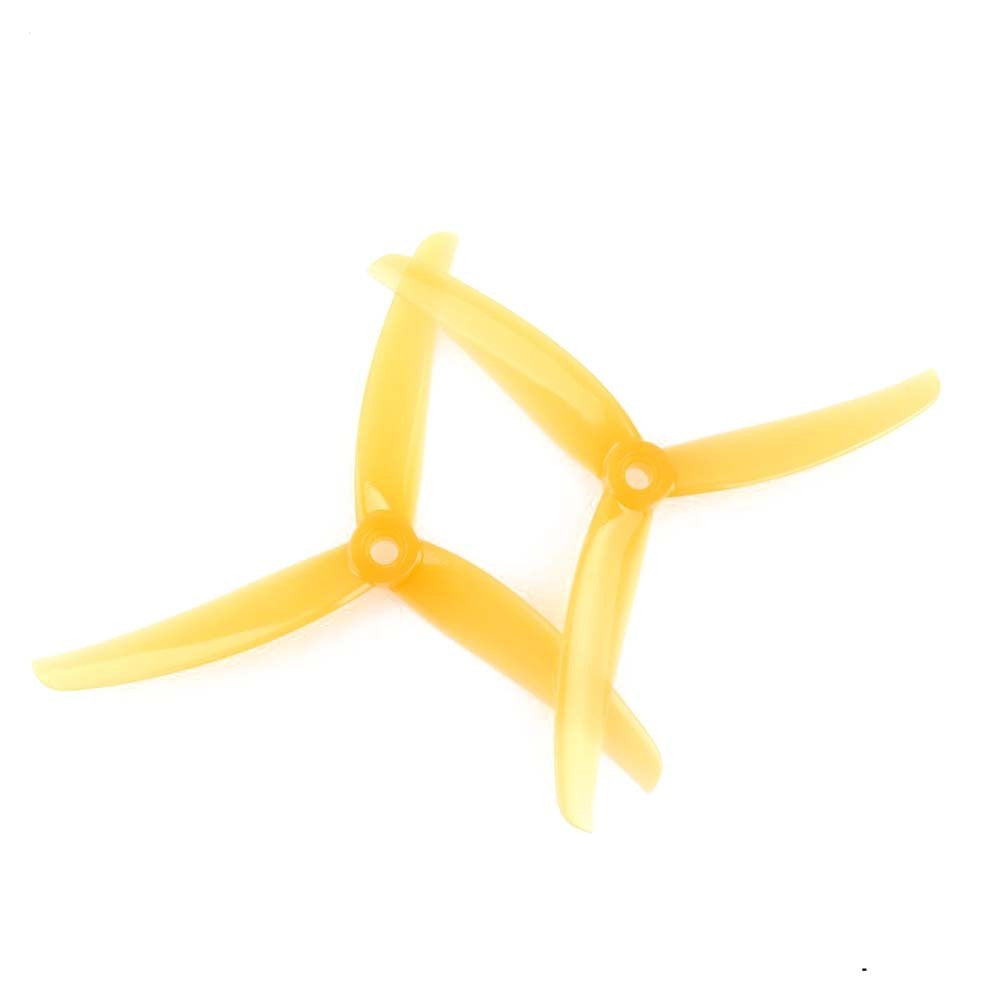
Propellers generate thrust by pushing air downwards. The shape of a propeller blade dictates its rotation direction:
- Clockwise (CW) Propeller: Designed to spin clockwise to push air down.
- Counter-Clockwise (CCW) Propeller: Designed to spin counter-clockwise to push air down.
On a standard quadcopter, motors are typically numbered starting from the front-right as Motor 1, then proceeding counter-clockwise:
- Motor 1 (Front Right): CW rotation
- Motor 2 (Rear Right): CCW rotation
- Motor 3 (Rear Left): CW rotation
- Motor 4 (Front Left): CCW rotation
This standard configuration ensures that pairs of motors rotate in opposite directions to cancel out yaw torque, keeping the quad stable in hover.
Visualizing 'Props In' (Normal Rotation)
'Props in' is often considered the traditional or 'normal' motor direction setup in FPV. In this configuration:
- The front two propellers (Motor 1 and Motor 4) have their leading edges rotating towards the center of the quad.
- The rear two propellers (Motor 2 and Motor 3) also have their leading edges rotating towards the center of the quad.
Imagine standing above your quad: the front-left motor spins counter-clockwise, the front-right spins clockwise, etc., pulling air inwards over the frame. This is the default setting in Betaflight unless you specifically change it.
Visualizing 'Props Out' (Reversed Rotation)
'Props out,' also known as 'reversed motor direction,' is where the motor rotation is flipped compared to the 'props in' setup. In this configuration:
- The front two propellers (Motor 1 and Motor 4) have their leading edges rotating away from the center of the quad.
- The rear two propellers (Motor 2 and Motor 3) also have their leading edges rotating away from the center of the quad.
Essentially, all motors are reversed from the 'props in' setup. So, the front-left motor would spin clockwise, and the front-right motor would spin counter-clockwise, pushing air outwards away from the frame. This requires a specific setting change in your flight controller software, like Betaflight.
The Role of Motor Direction in Thrust
It's crucial to understand that changing motor direction (via your Electronic Speed Controllers, or ESCs, and flight controller software like Betaflight) is what dictates whether you run props in or out. The physical propellers themselves must always be mounted correctly for their intended rotation (CW prop on a CW spinning motor, CCW prop on a CCW spinning motor) to generate downward thrust. If you reverse motor direction, you must swap the CW and CCW propellers to maintain thrust in the correct direction.
Props In: Advantages, Disadvantages, and Flight Feel
The 'props in' configuration has been the standard for many years, and for good reason. It offers a distinct flight feel that many pilots appreciate.
Enhanced Yaw Authority and Control
One of the most commonly cited advantages of 'props in' is its snappier and more direct yaw response. This is because the prop wash (the turbulent air pushed downwards by the propellers) interacts with the quad's arms and frame as it's directed inwards. This interaction creates a more immediate lever for the flight controller to use when initiating a yaw movement, translating to a feeling of greater responsiveness and precision, especially for quick rotations or corrections. Pilots performing aggressive freestyle maneuvers, like intricate yaw spins, often find this characteristic beneficial.
Managing Prop Wash and Turbulence
While 'props in' can feel very direct, it also means that the turbulent prop wash is being directed inwards, often hitting the frame, electronics, and even the camera lens. This can lead to:
- Dirty Air Effects: In aggressive dives or when rapidly changing direction, the propellers can re-ingest their own turbulent air, causing oscillations, wobbles, or a feeling of "mushiness." This is often referred to as "prop wash oscillations" or "dirty air." For example, if you're flying a GEPRC Mark5 or iFlight Nazgul Evoque with props in, you might notice more vibrations in dives compared to a props-out setup, which can lead to "jello" in your FPV feed or recorded video.
- Camera Debris: Grass, dirt, or other small debris can be kicked up by the inward-spinning props and land directly on your camera lens, obscuring your view. This is a common frustration for pilots flying low or landing in dusty areas.
Managing this requires good PID tuning, smooth throttle management, and sometimes a slightly different flying style to minimize aggressive transitions that induce heavy prop wash.
Propeller Protection and Safety Considerations
In the event of a crash, 'props in' might offer a slight advantage in terms of propeller protection. Since the props are rotating inwards, they might be less likely to strike objects directly outwards, potentially reducing the chance of a bent or broken prop tip on glancing blows with obstacles like trees or gates. However, this is a minor advantage and highly dependent on the crash scenario.
From a safety perspective during handling, the inward rotation means that if you accidentally bump the throttle with props on, the props are more likely to pull towards your body or the center of the quad, rather than pushing away. While any spinning prop is dangerous, some pilots find this slightly less alarming than props pushing outwards. Always remove props when connecting to Betaflight or performing maintenance!
Ideal Scenarios: When to Choose Props In
'Props in' is often favored by:
- Freestyle Pilots: Especially those who prioritize snappy, immediate yaw response for intricate tricks and precise control in complex environments. Many classic freestyle pilots, even with modern frames like the Source One V5, still prefer props in for that familiar feel.
- Pilots Learning Acro: The direct yaw can be intuitive for new acro pilots, helping them understand the drone's response.
Props Out: Advantages, Disadvantages, and Flight Feel
The 'props out' configuration has gained significant popularity in recent years, particularly among racers and cinematic pilots, due to its distinct benefits.
Improved Prop Wash Management in Forward Flight
The primary advantage of 'props out' is its superior prop wash management. By pushing air outwards and away from the drone's frame and camera, the propellers are operating in cleaner, less turbulent air, especially during high-speed forward flight and aggressive maneuvers. This translates to:
- Smoother Video Footage: Less prop wash hitting the camera means significantly reduced "jello" effect and vibrations in your FPV feed and recorded HD footage. This is a game-changer for cinematic pilots using cameras like the GoPro Hero 11 or DJI O3 Air Unit, as it results in much cleaner, more stable video.
- Reduced Oscillations: The drone experiences less "dirty air" turbulence, leading to a more stable and locked-in feel, particularly during fast dives or high-G turns. This can make tuning easier and allow for more aggressive PIDs without inducing oscillations.
- Enhanced Efficiency (Debatable but Possible): Some argue that operating in cleaner air can lead to marginally better efficiency, as the props aren't fighting their own turbulence.
Reduced Debris on Camera Lens
This is a huge practical benefit. With props spinning outwards, debris like grass, dirt, or dust from takeoffs, landings, or low passes is thrown away from the drone, rather than onto the camera lens. This keeps your FPV view significantly clearer, reducing the need to constantly wipe your lens and improving the overall flying experience.
Impact on Yaw Response and Stability
While 'props out' excels in prop wash management, its yaw response can feel different. Some pilots describe it as slightly less direct or "softer" yaw compared to 'props in.' This is because the prop wash is directed away from the frame, reducing the immediate leverage the flight controller has from air hitting the arms. However, this isn't necessarily a disadvantage; many pilots find this softer yaw to be smoother and more predictable, especially for flowing lines in freestyle or precise turns in racing. It can contribute to an overall more stable and predictable flight feel, particularly at speed.
Ideal Scenarios: When to Choose Props Out
'Props out' is highly recommended for:
- Racing FPV: Racers prioritize clean air, minimal drag, and predictable handling at high speeds. The reduced turbulence and cleaner airflow over the frame make 'props out' the preferred choice for competitive pilots flying frames like the Apex Race or Karearea Talon.
- Cinematic FPV: For smooth, jello-free footage, 'props out' is almost universally adopted. The clean video output is paramount for professional-looking aerial videography.
- Pilots Seeking Cleaner Video: Anyone frustrated by jello or debris on their camera will find 'props out' a significant upgrade.
- Freestyle Pilots Seeking Cleaner Lines: While some freestylers stick to 'props in' for snappy yaw, many are experimenting with 'props out' to achieve smoother, cleaner lines and better recovery from prop wash in aggressive maneuvers.
Choosing Your Style: Props In vs. Props Out for Different FPV Disciplines
The "best" configuration isn't universal; it's deeply intertwined with your flying discipline and personal preference.
Freestyle FPV: Prioritizing Control and Recovery
For freestyle pilots, the choice often comes down to a trade-off between snappy yaw authority and prop wash management.
- Props In: Favored by those who value a very direct, "on rails" yaw feel for complex, fast-paced tricks and quick changes of direction. They often learn to manage prop wash through throttle control and specific flight patterns.
- Props Out: Gaining popularity for its cleaner prop wash recovery, allowing for smoother transitions out of dives and less "jello" in recorded footage. This can lead to more aesthetically pleasing lines and easier tuning. Many modern freestyle frames like the AOS 5 or Squirt V2 are designed with props-out in mind for optimal airflow.
Racing FPV: Maximizing Speed and Clean Airflow
In racing, every millisecond counts, and efficiency is key.
- Props Out: Overwhelmingly preferred by racers. The cleaner airflow means less drag, more efficient thrust, and a more stable quad at high speeds, allowing pilots to push harder through gates without fighting turbulence. The ability to maintain clean air over the frame and components is critical for consistent performance.
Cinematic & Long-Range FPV: Stability and Camera Clarity
For those focusing on capturing breathtaking aerial footage or exploring vast distances:
- Props Out: The clear winner. Minimal prop wash on the camera lens ensures pristine video quality, free from jello or debris. The smoother flight characteristics also contribute to more stable and professional-looking footage, crucial for pairing with high-definition cameras like the DJI O3 Air Unit or Caddx Vista. Long-range pilots also benefit from the potentially cleaner and more efficient airflow.
Personal Preference and Experimentation
Ultimately, the 'best' setup depends on individual flying style, specific frame design, and personal preference. There's no single right answer. Many top pilots have excelled with both configurations. We strongly encourage you to try both setups, adjust your PID tunes accordingly, and fly extensively with each to truly feel the differences. Your "perfect" setup might be different from your friend's!
Setting Up Your Drone: Configuring Props In or Props Out
Changing between 'props in' and 'props out' isn't just a flip of a switch; it requires careful physical and software configuration.
Physical Propeller Mounting: Ensuring Correct Orientation
This is the most critical step. Incorrect prop mounting will result in zero lift or uncontrollable flight.
- Identify Propeller Type: Each propeller is marked CW (Clockwise) or CCW (Counter-Clockwise). The leading edge (the thicker, rounded edge that cuts into the air first) should always be facing the direction of rotation to push air downwards.
- For 'Props In' (Normal Rotation):
- Motor 1 (Front Right): CW prop, leading edge towards the front-left.
- Motor 2 (Rear Right): CCW prop, leading edge towards the front-right.
- Motor 3 (Rear Left): CW prop, leading edge towards the rear-right.
- Motor 4 (Front Left): CCW prop, leading edge towards the rear-left.
- For 'Props Out' (Reversed Rotation):
- Motor 1 (Front Right): CCW prop, leading edge towards the rear-right.
- Motor 2 (Rear Right): CW prop, leading edge towards the front-left.
- Motor 3 (Rear Left): CCW prop, leading edge towards the front-right.
- Motor 4 (Front Left): CW prop, leading edge towards the rear-left.
Always double-check that the leading edge is pushing air downwards when the motor spins in the chosen direction!
Betaflight Configuration: Motor Direction and ESC Protocol
Betaflight makes this process relatively straightforward:
- Connect to Betaflight Configurator: Plug your flight controller into your computer and open Betaflight Configurator.
- Go to the Motors Tab: Navigate to the "Motors" tab on the left sidebar.
- Enable Motor Testing (Safely!): Read the warning and enable motor testing. Crucially, remove all propellers before proceeding!
- Check Current Rotation: With props removed, slowly increase the master throttle slider or test individual motors (1-4). Observe the direction each motor is spinning.
- Configure for 'Props Out': If you want to switch to 'props out', you need to reverse the motor direction. In Betaflight's Motors tab, there's a checkbox labeled "Motor Direction is Reversed" (or similar, depending on Betaflight version).
- For 'Props In': Ensure this box is unchecked.
- For 'Props Out': Check this box. This globally reverses the direction signals sent to your ESCs.
- Save and Reboot: After checking/unchecking, click "Save and Reboot."
- Re-test Motor Direction: After rebooting, go back to the Motors tab (props still off!) and test the motors again. Verify that the motors are now spinning in the correct direction for your chosen 'props in' or 'props out' configuration. For 'props out,' Motor 1 (Front Right) should now spin CCW, Motor 4 (Front Left) CW, etc.
ESC Motor Direction Reversal (BLHeli_S/32)
While Betaflight's "Motor Direction is Reversed" checkbox usually handles global reversal, sometimes you might need to reverse individual motors, or you might be using an older setup.
- Connect to BLHeliSuite32/BLHeli_S Configurator: Use the appropriate configurator for your ESCs (e.g., BLHeliSuite32 for 32-bit ESCs).
- Read Setup: Connect your flight controller and ESCs, then click "Read Setup" to retrieve current ESC settings.
- Change Motor Direction: For each motor, there will be a "Motor Direction" setting. You can change it from "Normal" to "Reversed" or vice-versa.
- Write Setup: After making changes, click "Write Setup" to apply them to your ESCs.
- Verify: Always re-verify motor direction in Betaflight after making changes in BLHeliSuite.
Testing Your Setup Safely
This step is non-negotiable for your safety and the longevity of your drone:
- Remove All Props: Before connecting to Betaflight or powering your drone, ALWAYS remove all propellers.
- Use a Smoke Stopper: Connect your drone to a smoke stopper (e.g., a simple series lamp or a smart smoke stopper like the VIFLY ShortSaver 2) before plugging in the battery for the first time after making changes. This can prevent damage in case of a wiring mistake.
- Test Motor Direction (Betaflight): In the Betaflight Motors tab (props off!), slowly increase the master throttle or test individual motors. Visually confirm each motor spins in the correct direction for your chosen 'props in' or 'props out' setup.
- Mount Props Correctly: Once you've confirmed motor directions, mount your propellers according to the physical mounting guide above.
- First Flight (Caution!): Take your first flight in an open, safe area. Hover gently and observe the drone's behavior. If it flips immediately or behaves erratically, disarm immediately, re-check your motor directions, and prop mounting.
Frequently Asked Questions (FAQ)
Does prop direction affect battery life?
Generally, no significant direct impact on battery life from 'props in' vs. 'props out' itself. Any perceived difference would likely be secondary to flight style adjustments or prop wash efficiency. A drone flying in very turbulent air might draw slightly more current to maintain stability, but the difference is often negligible in real-world scenarios compared to factors like prop choice, flying aggressiveness, and overall tune.
Can I switch between props in and props out easily?
Yes, but it requires changing motor direction in Betaflight/ESCs and potentially remounting all propellers. It's not an 'on-the-fly' switch you can make mid-flight. Plan to dedicate some time to the configuration changes and thorough testing.
Is one direction inherently 'safer' than the other?
Both have minor safety considerations. 'Props in' might keep debris closer to the drone, while 'props out' might throw it further away from the drone but potentially towards bystanders. Neither is definitively 'safer' – safe handling practices (always remove props when powered on the bench, use a smoke stopper, arm only when clear) are paramount regardless of prop direction.
What if my motors spin the wrong way after setup?
Troubleshooting steps:
- Recheck Betaflight Motor Direction: Ensure the "Motor Direction is Reversed" checkbox is set correctly for your desired configuration.
- Verify ESC Settings: If Betaflight's global setting isn't working, check individual motor directions in BLHeliSuite32/BLHeli_S.
- Ensure Props are Mounted Correctly: A CW prop on a CCW spinning motor will not generate lift. Double-check that the leading edge of each prop is pushing air downwards for its corresponding motor's rotation.
Does prop direction matter for inverted flight?
The 'props in' vs. 'props out' distinction primarily refers to normal upright flight. For inverted flight, the drone still uses the same motor directions; the flight controller simply reverses the thrust commands to pull the drone downwards (which becomes upwards when inverted). The characteristics of prop wash management (inwards vs. outwards relative to the frame) will still apply, just from an inverted perspective.
Conclusion: Optimize Your Flight Experience
The choice between 'props in' and 'props out' is more than just a technical detail; it's a fundamental decision that shapes your FPV drone's handling and flight characteristics. While 'props out' is gaining popularity for its clean video and efficient prop wash, 'props in' still offers distinct advantages for certain flight styles, particularly for pilots who crave that immediate, snappy yaw response.
By understanding the nuances of each, you can make an informed decision and fine-tune your setup to perfectly match your flying goals. Don't be afraid to experiment with both configurations, adjust your PID tunes accordingly, and discover which setup truly elevates your FPV journey.
Ready to dial in your drone? Experiment with both setups, fine-tune your PID's, and discover what truly elevates your FPV journey! Share your preferred setup in the comments below!
Copyright-safe raster media generated locally by FPVLovers